Private by design
Tracelyx Crop — crop images freely or with fixed aspect ratios

Image Trimming Tool

Crop images to the perfect composition and aspect ratio. All processing runs locally in your browser.

Upload a photo to crop it to the perfect frame. Choose an aspect ratio, drag the crop box, and download. All processing runs locally in your browser — no uploads required.

Click or drop to start

Precise framing

Drag the crop box to focus on exactly what matters in your image — perfect for product photos, portraits, and thumbnails.

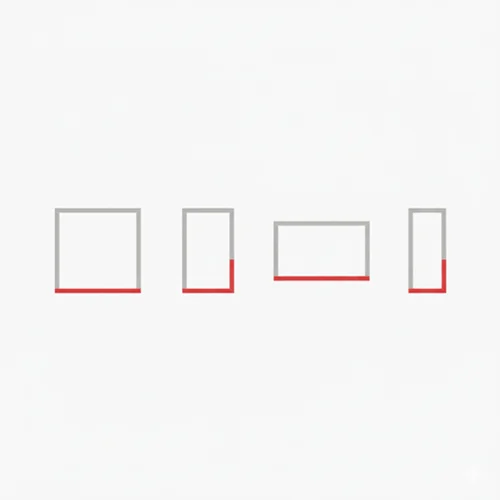
Ready-made aspect ratios

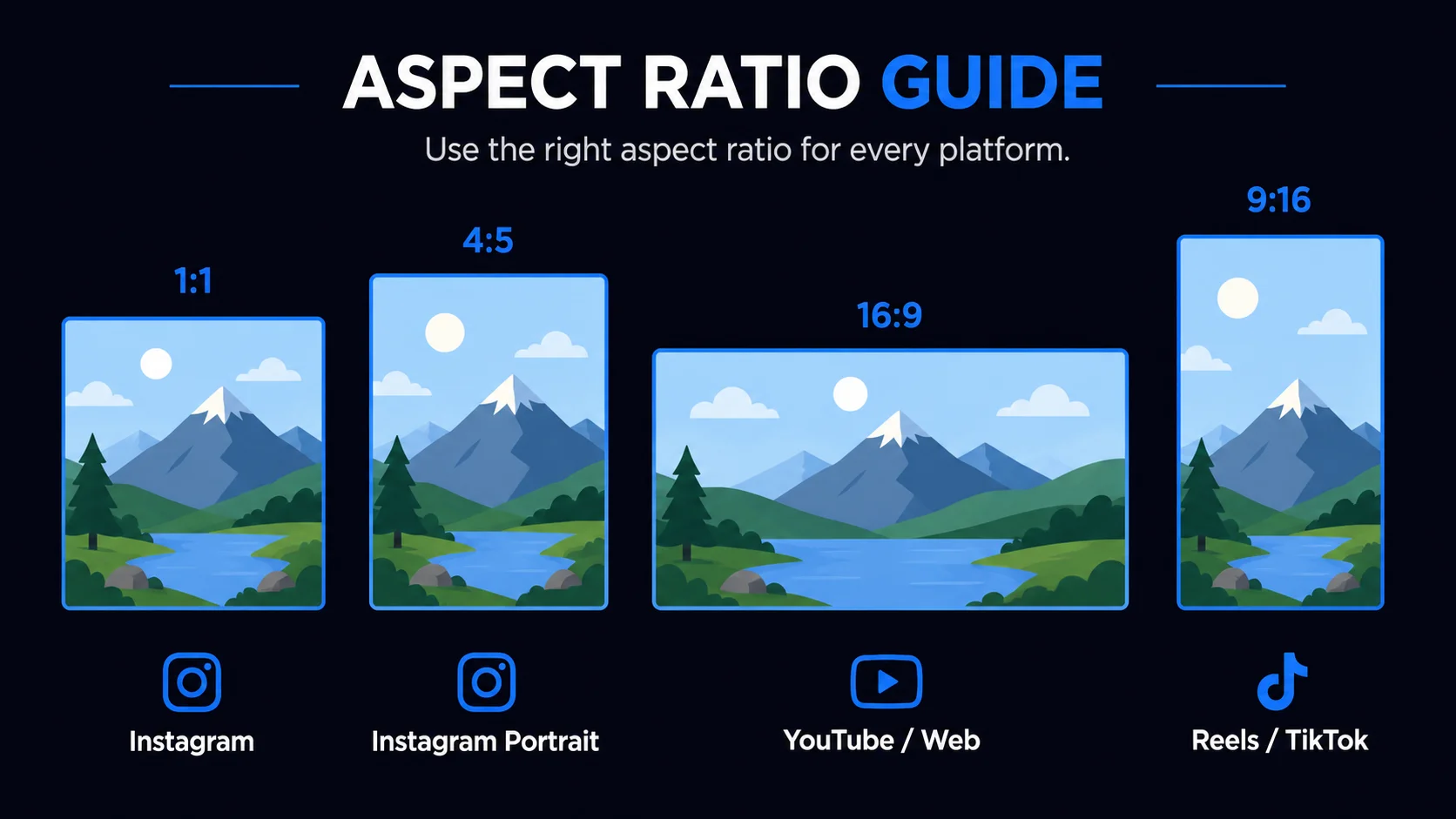
Switch between presets like 1:1, 4:5, 16:9, or 9:16 to match social media and web layouts in a single click.

Private by default

Your images never leave the browser. Cropping is done locally, so you can safely work with client or internal assets.

Fast in the browser

No uploads and no waiting. Adjust the crop in real time and export the final image in just a few clicks.

Who uses Tracelyx Crop?

Anyone who needs the perfect frame — no app, no upload.

Photographers

Reframe shots for portfolio or client delivery without touching the original file. Crop to print ratios or web formats and keep your originals private.

Social Media Creators

Crop to platform-perfect ratios in one click — 1:1 for Instagram, 9:16 for Reels and TikTok, 16:9 for YouTube. No guesswork, no re-exporting from another app.

E-commerce Sellers

Standardize product photo framing for a consistent, professional shop layout. Crop to square or custom ratios to match your storefront requirements.

Designers

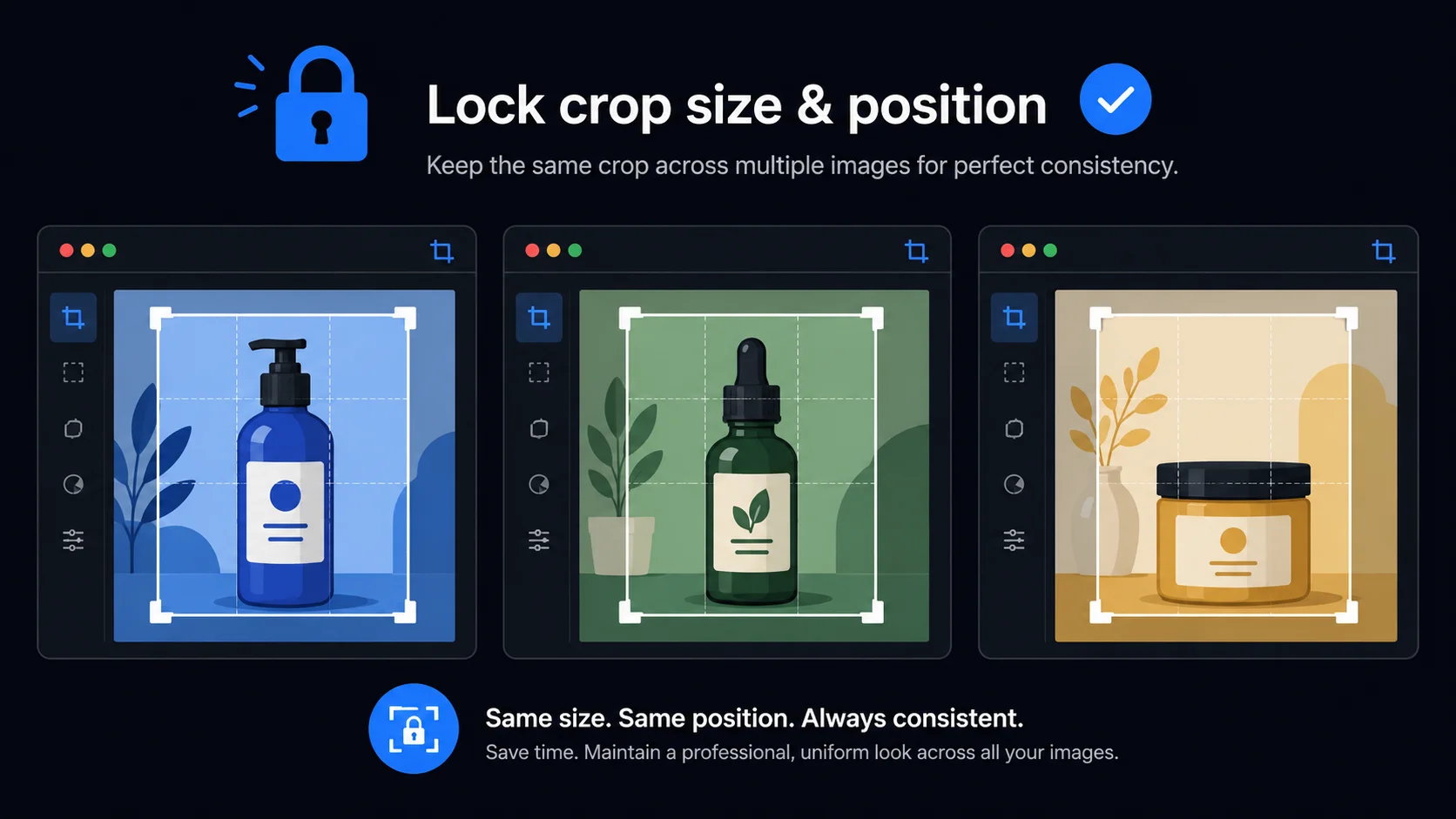
Quickly extract a region of interest from a screenshot or mockup. Use the lock crop box feature to apply the same frame to a set of images with consistent composition.

Bloggers & Writers

Trim hero images and featured photos to the exact proportions your CMS or theme requires. Consistent framing makes articles look more polished and professional.

Business & Marketing

Crop visuals for email banners, slide decks, and social ads to the right dimensions. Fast, browser-only, and safe for confidential assets.

Frequently Asked Questions

Is my image uploaded to a server?

No. All cropping happens entirely in your browser using local processing. Your files never leave your device and are never sent to any server.

Which aspect ratios are supported?

Tracelyx Crop supports Free, Original, 1:1 (Instagram), 4:5 (Instagram Portrait), 16:9 (YouTube / Web), and 9:16 (Reels / Shorts / TikTok).

Can I crop to an exact pixel size?

You can set the output width and height in the crop settings. The crop box will adjust to match your specified dimensions while maintaining the chosen aspect ratio.

What is the Lock crop box feature?

Lock crop box saves the current crop size and position as a template. When you load the next image, the same crop area is applied automatically — ideal for batch-style workflows where consistency matters.

Is Tracelyx Crop free?

Yes, completely free. No account required, no usage limits, no watermarks.

Can I crop multiple images at once?

This tool processes one image at a time. Use the Lock crop box feature to apply the same crop area to multiple images one by one. For full batch processing, use the Batch tool.

How to Use Tracelyx Crop: A Complete Guide

Crop Your Image in 4 Steps

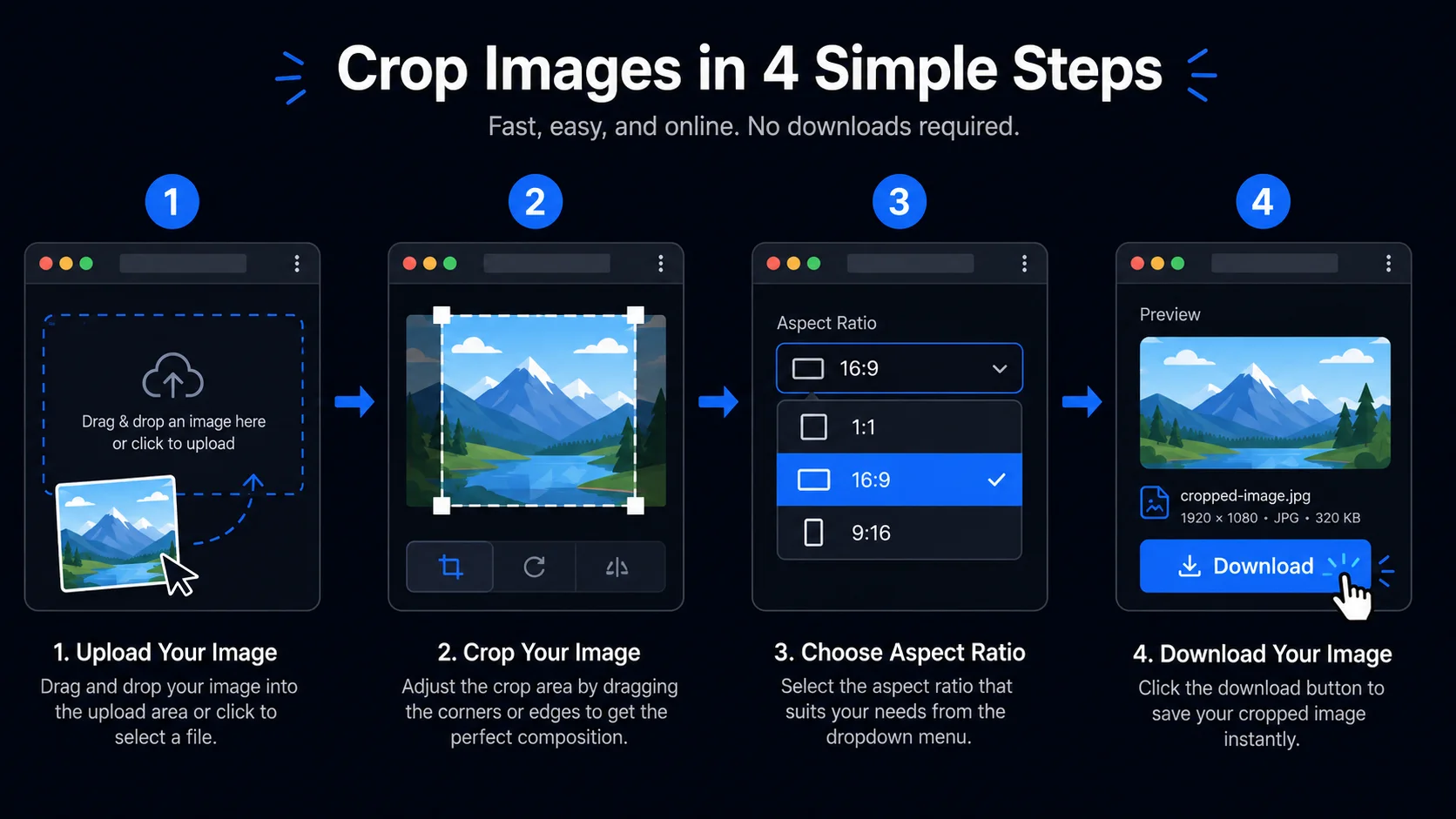
Tracelyx Crop 4-step guide: upload, set ratio, drag box, download
  1. Upload your image — Click the upload area or drag and drop any photo. Crop supports JPEG, PNG, and WebP. All processing runs locally in your browser.
  2. Set your aspect ratio — Choose from Free, Original, 1:1 (Instagram), 4:5 (Instagram Portrait), 16:9 (YouTube/Web), or 9:16 (Reels/TikTok). The crop box adjusts instantly.
  3. Drag and resize the crop box — Move the overlay to frame exactly what you want. Drag the corner handles to resize. The live preview shows your result in real time.
  4. Adjust quality and download — Set your output quality, then click Crop image and Download to save your result.

Aspect Ratios for Every Platform

Aspect ratio guide: 1:1, 4:5, 16:9, 9:16 for Instagram, YouTube, TikTok

Each social media and web platform has its own preferred image dimensions. Using the wrong ratio means your image gets cropped automatically by the platform — often cutting off the subject. 1:1 (square) is the standard for Instagram grid posts and most e-commerce product thumbnails. 4:5 (portrait) is the tallest format Instagram supports in-feed and gives photos more screen space on mobile. 16:9 (landscape) is the universal widescreen standard for YouTube thumbnails, website hero images, and presentation slides. 9:16 (vertical) fills the entire phone screen for Instagram Reels, TikTok, and YouTube Shorts.

The Free crop mode lets you drag the crop box to any shape without a ratio constraint — useful for extracting a specific region from a screenshot, removing distracting edges from a photo, or cropping to a custom ratio not in the preset list.

Lock Crop Box: Consistent Framing Across Images

Lock crop box feature for consistent framing across multiple product images

The Lock crop box feature saves the current crop size and position as a template. When you load the next image, the same crop area is applied automatically. This is especially useful for e-commerce product photography: once you've set the perfect square crop for the first product, every subsequent image gets the same frame without any manual adjustment. It is also valuable for real estate photography, portrait series, and any workflow where consistency across a set of images matters.

To use the Lock feature: set up your crop box on the first image, check Lock crop size and position in the settings panel, then crop and download. When you load the next image, the same crop is already applied. Uncheck the lock to resume free cropping.

Crop Without Uploading

Unlike server-based image editors, Tracelyx Crop processes every image entirely in your browser. The Canvas API reads the image data locally, applies the crop coordinates, and generates the output file — all without sending a single byte to a remote server. You can crop client photos, confidential product images, personal portraits, and internal assets with complete privacy.

There is no file size limit, no sign-in required, no subscription, and no waiting for a server response. Processing happens at local CPU speed — for most images, the entire crop-and-download cycle takes under one second.