Recorte preciso
Ajusta el área de recorte para mantener exactamente la parte importante de la imagen — ideal para fotos de producto, retratos y miniaturas.

Pulsa el botón Compartir y luego «Añadir a pantalla de inicio».
Recorta solo la parte que realmente importa.
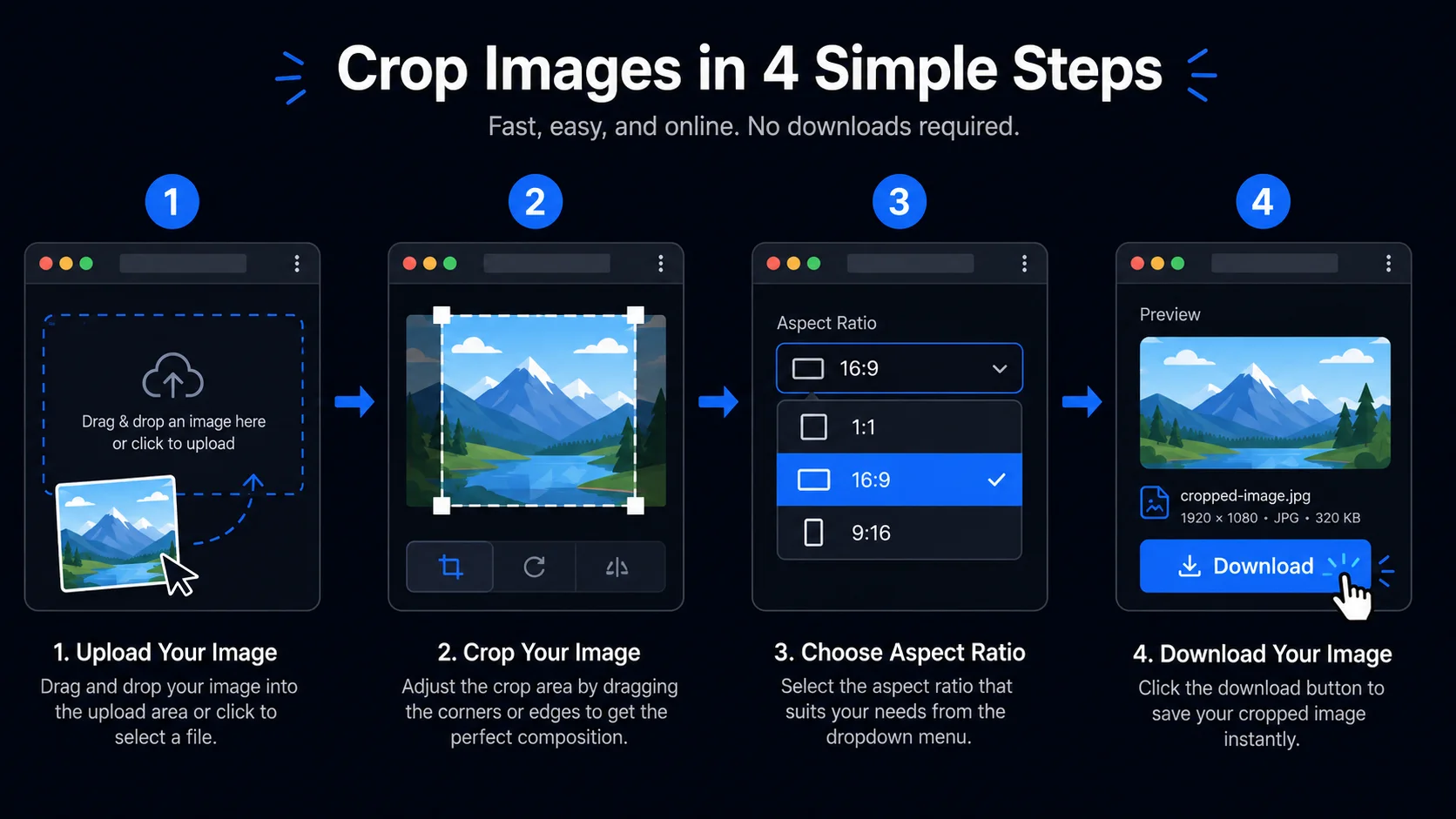
Sube una foto para recortarla al encuadre perfecto. Elige una relación de aspecto, arrastra el recuadro de recorte y descarga. Todo el procesamiento se realiza localmente en tu navegador.
Aquí verás cómo quedará la imagen recortada.
Ajusta el área de recorte para mantener exactamente la parte importante de la imagen — ideal para fotos de producto, retratos y miniaturas.
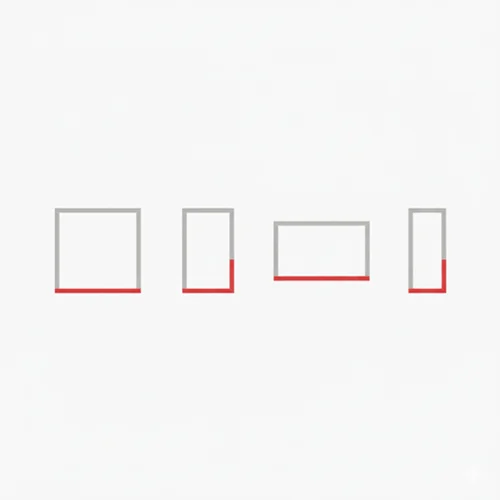
Cambia rápidamente entre proporciones como 1:1, 4:5, 16:9 o 9:16 para adaptarte a redes sociales y diseños web.

Tus imágenes nunca salen del navegador. El recorte se realiza íntegramente de forma local, perfecto para material interno o de clientes.
Sin subidas y sin esperas. Ajusta el recorte en tiempo real y exporta el resultado final con solo unos clics.
Cualquier persona que necesite el encuadre perfecto — sin apps, sin subidas.
Reencuadra fotos para portfolio o entrega a clientes sin tocar el archivo original. Recorta en proporciones de impresión o formatos web manteniendo los originales privados.
Recorta en proporciones perfectas para cada plataforma con un clic — 1:1 para Instagram, 9:16 para Reels y TikTok, 16:9 para YouTube. Sin conjeturas, sin reexportar desde otra app.
Estandariza el encuadre de las fotos de productos para un diseño de tienda consistente y profesional. Recorta en cuadrado o proporciones personalizadas según los requisitos de tu tienda.
Extrae rápidamente una región de interés de una captura o mockup. Usa la función de bloqueo del recorte para aplicar el mismo encuadre a un conjunto de imágenes con composición consistente.
Recorta imágenes destacadas a las proporciones exactas que requiere tu CMS o tema. Un encuadre consistente hace que los artículos se vean más pulidos y profesionales.
Recorta imágenes para banners de email, presentaciones y anuncios sociales a las dimensiones correctas. Rápido, solo en el navegador y seguro para activos confidenciales.
No. Todo el recorte ocurre en tu navegador de forma local. Tus archivos nunca abandonan tu dispositivo ni se envían a ningún servidor.
Tracelyx Crop admite Libre, Original, 1:1 (Instagram), 4:5 (Instagram Portrait), 16:9 (YouTube / Web) y 9:16 (Reels / Shorts / TikTok).
Puedes establecer el ancho y alto de salida en la configuración de recorte. El recuadro de recorte se ajustará para coincidir con las dimensiones especificadas manteniendo la proporción elegida.
Guarda el tamaño y la posición actuales del recorte como plantilla. Cuando cargues la siguiente imagen, se aplicará automáticamente la misma área de recorte — ideal para flujos de trabajo donde la consistencia importa.
Sí, completamente gratuito. Sin cuenta, sin límites de uso y sin marcas de agua.
Esta herramienta procesa una imagen a la vez. Usa la función Bloquear recuadro para aplicar el mismo recorte a varias imágenes una por una. Para procesamiento completo en lote, usa la herramienta Batch.
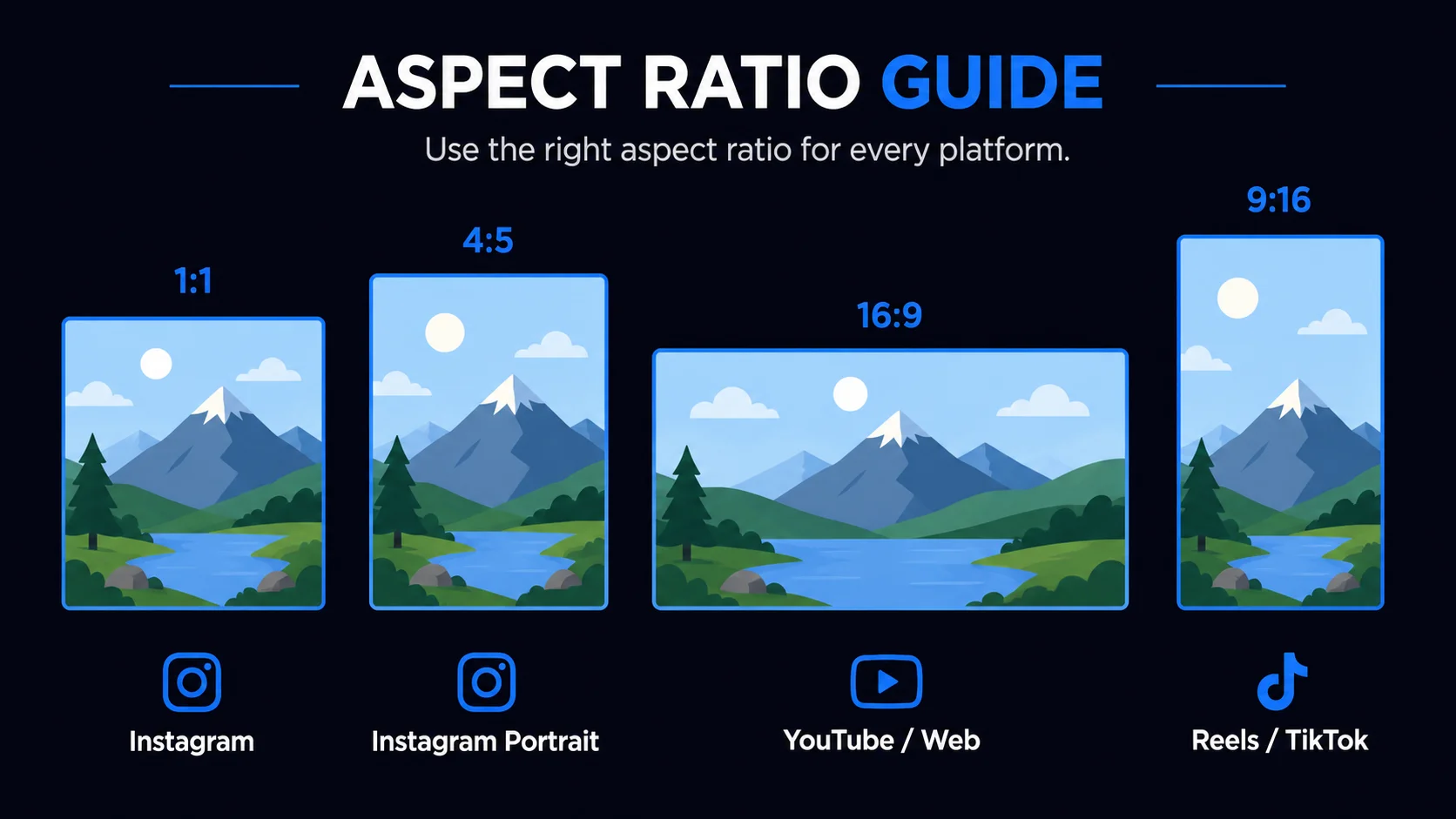
Cada plataforma tiene sus propias dimensiones de imagen preferidas. Usar la relación incorrecta significa que la plataforma recortará tu imagen automáticamente, a menudo cortando el sujeto. 1:1 (cuadrado) es el estándar para publicaciones en Instagram y la mayoría de miniaturas de productos en e-commerce. 4:5 (retrato) es el formato más vertical que Instagram admite en el feed y ocupa más espacio de pantalla en móvil. 16:9 (paisaje) es el estándar para miniaturas de YouTube, imágenes hero de sitios web y diapositivas. 9:16 (vertical) ocupa toda la pantalla del teléfono para Instagram Reels, TikTok y YouTube Shorts.
El modo de recorte libre te permite arrastrar el recuadro a cualquier forma sin restricción de proporción — útil para extraer una región específica de una captura de pantalla, eliminar bordes distractores de una foto, o recortar a una proporción personalizada que no está en la lista.
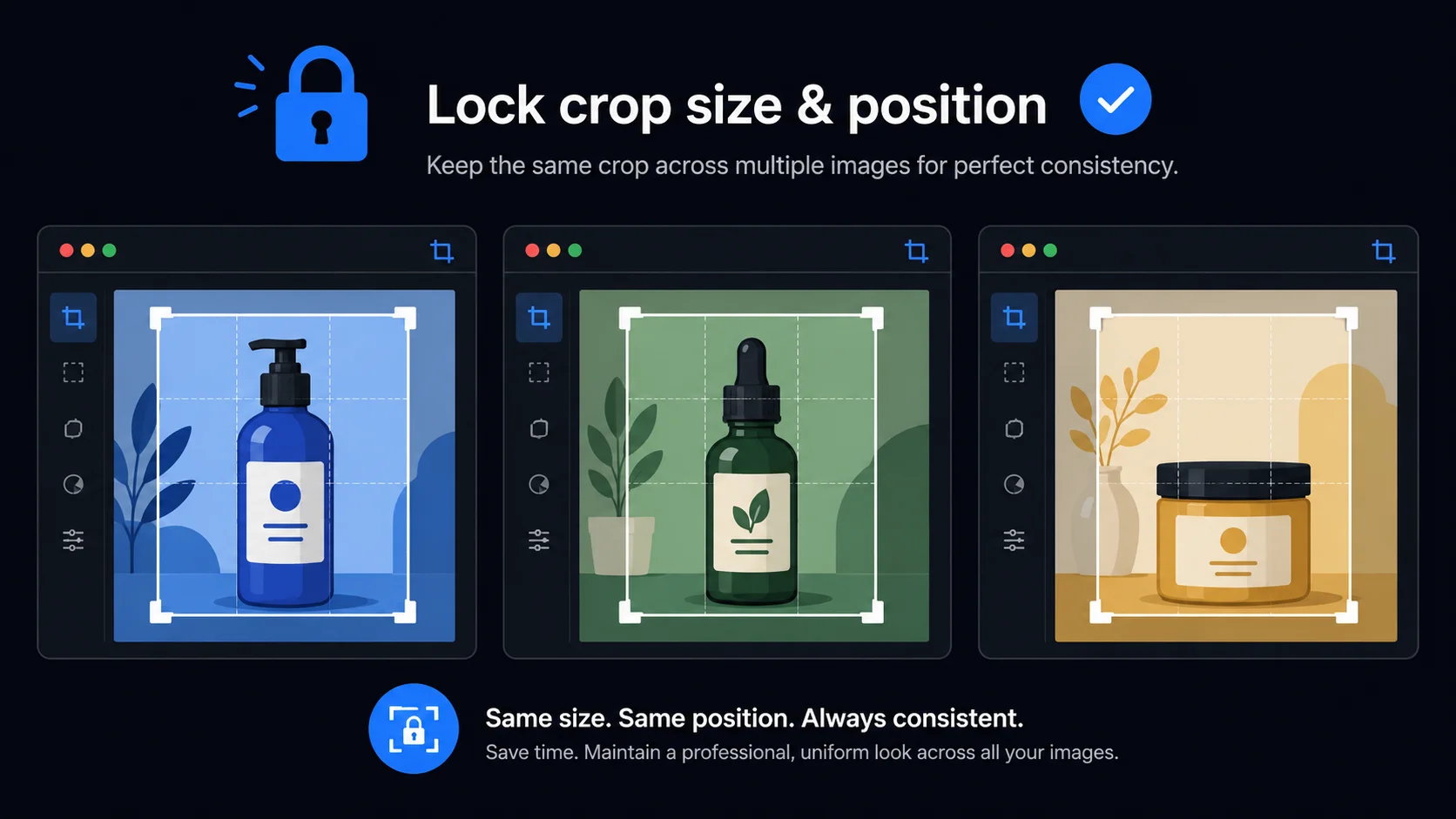
La función Bloquear recuadro guarda el tamaño y posición actuales como plantilla. Cuando cargas la siguiente imagen, se aplica automáticamente la misma área de recorte. Especialmente útil para fotografía de productos: una vez configurado el recorte cuadrado perfecto para el primer producto, cada imagen posterior recibe el mismo encuadre sin ajustes manuales.
Para usar el bloqueo: configura tu recuadro en la primera imagen, marca Bloquear tamaño y posición en el panel de ajustes, luego recorta y descarga. Cuando cargues la siguiente imagen, el mismo recorte ya estará aplicado. Desmarca para volver al recorte libre.
A diferencia de los editores basados en servidor, Tracelyx Crop procesa cada imagen completamente en tu navegador usando la API Canvas. Lee los datos de imagen localmente, aplica las coordenadas de recorte y genera el archivo de salida, todo sin enviar un solo byte a un servidor remoto. Puedes recortar fotos de clientes, imágenes confidenciales y activos internos con total privacidad.
Sin límite de tamaño de archivo, sin inicio de sesión, sin suscripción y sin esperar respuesta del servidor. El procesamiento ocurre a velocidad de CPU local — para la mayoría de las imágenes, todo el ciclo de recorte y descarga toma menos de un segundo.

Line art listo para trazar con control manual profesional, todo procesado localmente.
Abrir herramienta →
Superpón una cuadrícula precisa, fija el tamaño real e imprime a escala en hojas A4.
Abrir herramienta →
Convierte fotos en arte callejero estilo stencil en paredes reales.
Abrir herramienta →
Convierte fotos de edificios en dibujos lineales — SVG y PNG.
Abrir herramienta →
Coloca imágenes en un lienzo fijo, ajusta posición y tamaño libremente, y exporta con dimensiones exactas en píxeles. Sin subidas, sin rastreo — todo en tu navegador.
Abrir herramienta →
Reduce, controla y reutiliza los colores de una imagen con precisión — exporta a HEX, CSS, JSON, .gpl y .ase.
Abrir herramienta →
Calcula tela según puntadas, compara cuentas y añade márgenes.
Abrir herramienta →
Previsualiza fotos o dibujos como un folioscopio. Ajusta orden, tiempos e ida y vuelta.

Cualquier foto → una historia 9:16 impecable. Desenfoque, degradado, extensión y tarjeta.
Abrir herramienta →