Eliminar metadatos sensibles
Quita información EXIF como datos de la cámara, coordenadas GPS y detalles del dispositivo para proteger tu privacidad.

Pulsa el botón Compartir y luego «Añadir a pantalla de inicio».
Elimina información oculta de la imagen con facilidad.
Elimina datos EXIF (GPS, info de cámara, marcas de tiempo) y corrige perfiles de color — completamente en tu navegador. Sin subida, sin cuenta.
Esta herramienta elimina la mayoría de los metadatos EXIF re-codificando la imagen en tu navegador.
Quita información EXIF como datos de la cámara, coordenadas GPS y detalles del dispositivo para proteger tu privacidad.

Elimina perfiles de color problemáticos o convierte las imágenes a sRGB para lograr colores consistentes en todos los navegadores.
Toda la limpieza se realiza en tu navegador. Sin cargas y sin procesamiento externo — totalmente privado.
Limpia metadatos, perfiles de color y miniaturas al instante con una sola acción.
Cualquier persona que comparte imágenes y quiere mantener su privacidad — sin apps, sin subidas.
Elimina coordenadas GPS y detalles de la cámara antes de compartir imágenes de portfolio en línea. Tu ubicación de rodaje y equipamiento permanecen privados — incluso cuando otros descargan las imágenes.
Limpia activos y capturas de pantalla de clientes antes de enviarlos. Evita que rutas de archivos internas, nombres de dispositivos y versiones de software se filtren en los metadatos de los archivos entregados.
Elimina datos de ubicación y dispositivo de las fotos tomadas con tu teléfono antes de subirlas a tu blog o CMS. Un paso sencillo que protege tu información personal a escala.
Corrige problemas de perfil de color que hacen que las imágenes se vean diferentes entre navegadores. Convierte a sRGB para garantizar una representación de color consistente en cada dispositivo y plataforma.
Limpia las fotos de productos antes de subirlas a tu tienda. Elimina los metadatos de la cámara y corrige los perfiles de color para que las imágenes se muestren de forma consistente y profesional en todos los dispositivos.
Sanea las imágenes usadas en informes, presentaciones y comunicaciones públicas. Asegúrate de que ningún metadato interno se comparta inadvertidamente con clientes, socios o el público.
No. Todo el procesamiento ocurre en tu navegador de forma local. Tus archivos nunca abandonan tu dispositivo ni se envían a ningún servidor.
Los datos EXIF pueden incluir ubicación GPS, modelo y configuración de la cámara, fecha y hora de captura, número de serie del dispositivo y software utilizado. Esta información está incrustada en el archivo de imagen y puede ser visible para cualquiera que lo reciba.
Algunas imágenes usan perfiles de color como Adobe RGB o P3 que se ven diferentes entre navegadores y dispositivos. Convertir a sRGB garantiza un color consistente y preciso en todos los lugares donde se muestre la imagen en la web.
La imagen se recodifica durante la limpieza, lo que puede causar un cambio de calidad muy leve en imágenes JPEG. La calidad de salida se mantiene lo más alta posible y la diferencia suele ser invisible a simple vista.
Sí, completamente gratuito. Sin cuenta, sin límites de uso y sin marcas de agua.
Esta herramienta procesa una imagen a la vez. Para eliminar metadatos de varios archivos en lote, usa la herramienta Batch que incluye una opción de eliminar EXIF.
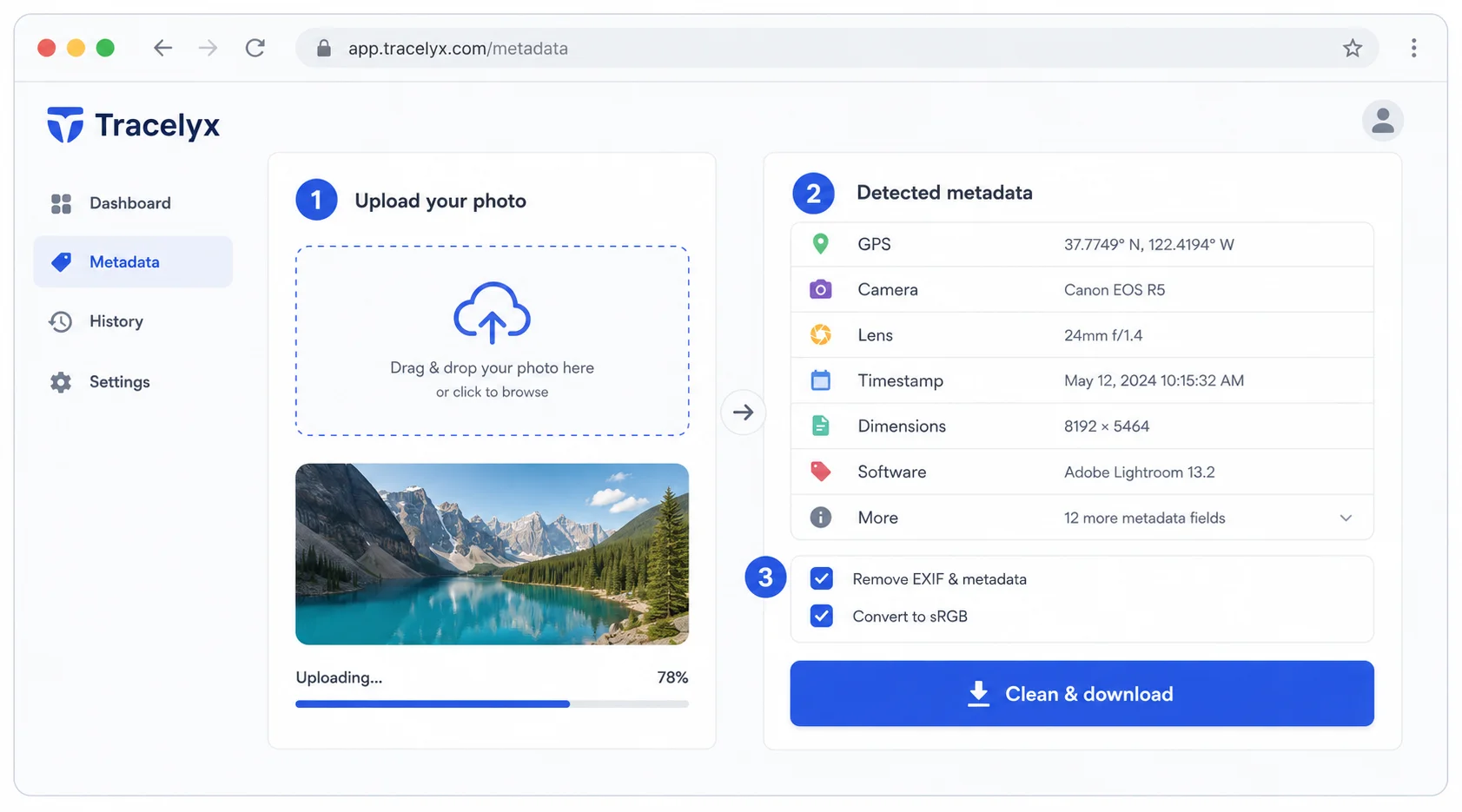
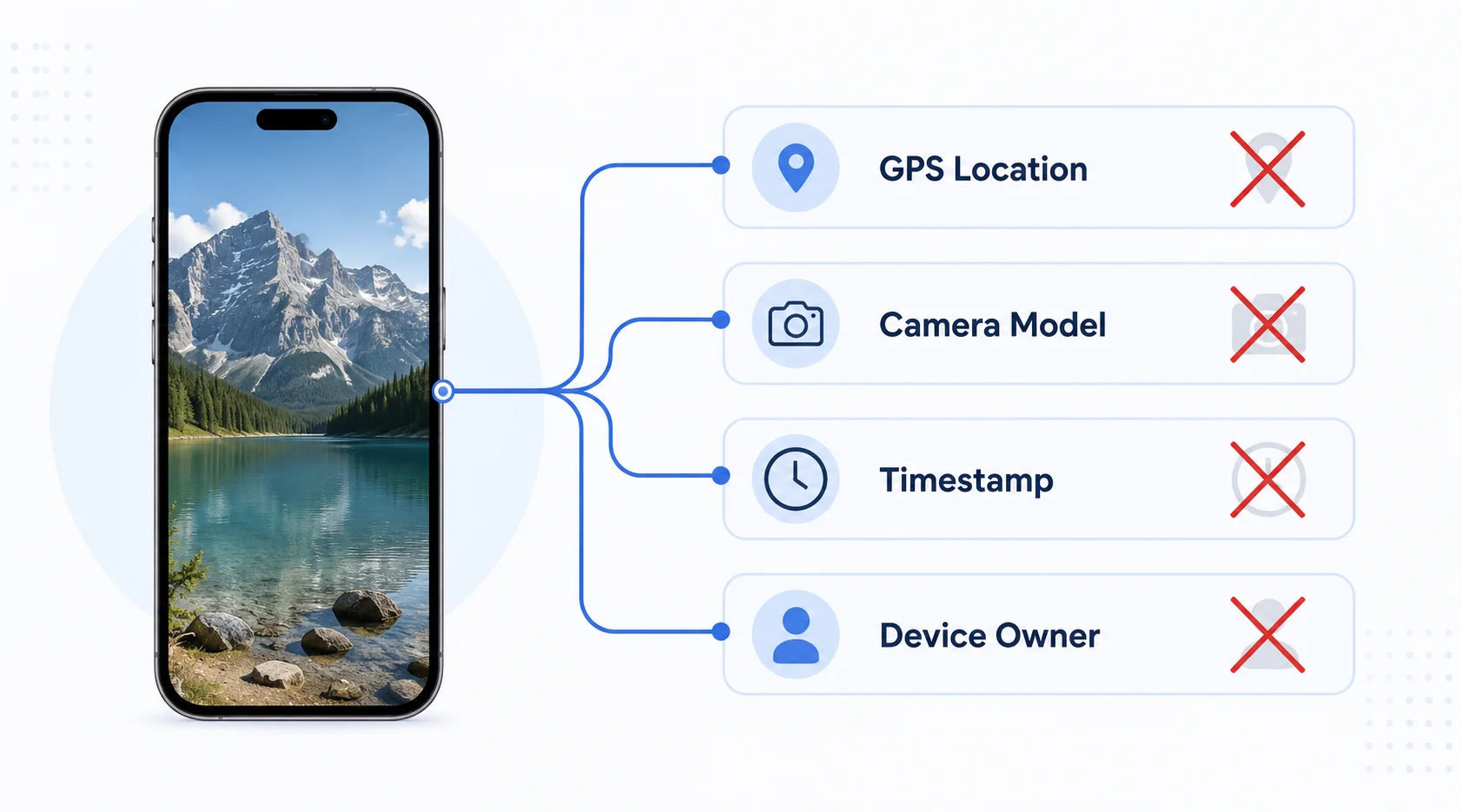
Cada foto tomada con un teléfono o cámara incrusta un bloque de metadatos llamado datos EXIF. Este metadato contiene las coordenadas GPS de donde se tomó la foto, la marca de tiempo exacta, la marca y modelo de la cámara, el tipo de objetivo y a veces el nombre del propietario del dispositivo. Cuando compartes el archivo de imagen, estos metadatos van con él.
Las coordenadas GPS son el campo más sensible. Una foto tomada en tu casa incrusta tu dirección de casa. Para fotógrafos que comparten imágenes de portafolio en línea, creadores de redes sociales y cualquiera que comparta fotos en un contexto profesional, esto es una consideración de privacidad significativa.
Las cámaras que disparan en Adobe RGB o ProPhoto RGB producen imágenes con una gama más amplia de colores que el estándar sRGB. Estas imágenes se ven diferentes — a menudo deslavadas o sobresaturadas — en navegadores web que asumen sRGB.
La opción de conversión sRGB en Tracelyx Metadata traduce los colores de la imagen al espacio sRGB y incrusta el perfil correcto. El resultado se muestra consistentemente en todos los navegadores y dispositivos modernos.

Line art listo para trazar con control manual profesional, todo procesado localmente.
Abrir herramienta →
Superpón una cuadrícula precisa, fija el tamaño real e imprime a escala en hojas A4.
Abrir herramienta →
Convierte fotos en arte callejero estilo stencil en paredes reales.
Abrir herramienta →
Convierte fotos de edificios en dibujos lineales — SVG y PNG.
Abrir herramienta →
Coloca imágenes en un lienzo fijo, ajusta posición y tamaño libremente, y exporta con dimensiones exactas en píxeles. Sin subidas, sin rastreo — todo en tu navegador.
Abrir herramienta →
Reduce, controla y reutiliza los colores de una imagen con precisión — exporta a HEX, CSS, JSON, .gpl y .ase.
Abrir herramienta →
Calcula tela según puntadas, compara cuentas y añade márgenes.
Abrir herramienta →
Previsualiza fotos o dibujos como un folioscopio. Ajusta orden, tiempos e ida y vuelta.

Cualquier foto → una historia 9:16 impecable. Desenfoque, degradado, extensión y tarjeta.
Abrir herramienta →