
Tap the Share button, then “Add to Home Screen”.
Tap the Share button, then “Add to Home Screen”.

Drop a photo or line drawing, lay a precise grid over it, set the finished real-world size to read off the exact cell dimensions, then export a PNG, a print-ready tiled PDF, or print straight across multiple A4 sheets.
Start nowLower the underlay to print a faint base for tracing.
Pages overlap by the glue margin and carry corner registration marks.
Anyone enlarging or transferring an image by hand — accurately, at a known scale.
Enlarge a reference onto canvas or a wall with the grid method. Set the finished size, read the exact cell dimensions, and tile across sheets for large murals.
Turn a picture into a numbered chart grid for cross-stitch, beading, or pixel patterns, with A1-style coordinates to keep your place.
Practise observational drawing with a clean grid overlay, mirror the image to check proportions, and print a faint underlay to trace.
No. The image is processed entirely in your browser using the Canvas API. It is never sent to any server, and closing the tab discards it.
It is pure arithmetic: cell width = finished width ÷ columns, cell height = finished height ÷ rows. The value shown matches a hand calculation exactly — for example, 300mm across 10 columns gives 30.0mm cells.
TraceGrid automatically splits the design across multiple pages, showing the total page count and the column × row layout. Each page includes a glue/overlap margin (5mm by default) and corner registration marks so you can align and tape the sheets.
A high-resolution PNG of the whole design, a print-ready tiled PDF with one paper sheet per page, or you can print directly from the browser. All three share the same exact grid math, so there is no drift between them.
No — TraceGrid only overlays the grid and handles sizing and tiling. To turn a photo into clean line art first, use TraceLine, then bring the result here.
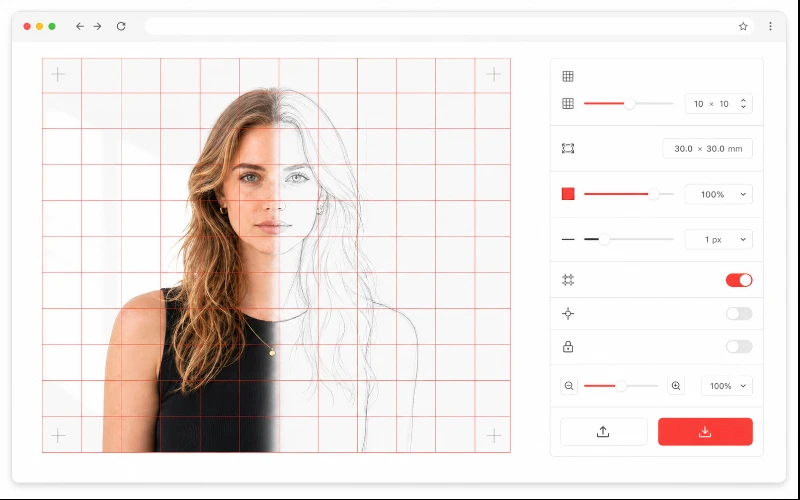
Drop your image, choose the number of columns and rows (or a preset), and enter the finished width and height in mm or cm. TraceGrid shows the exact size of one cell so the proportions on your canvas, wall, or fabric stay true. Turn on "keep cells square" to auto-adjust the rows to your image's proportions.
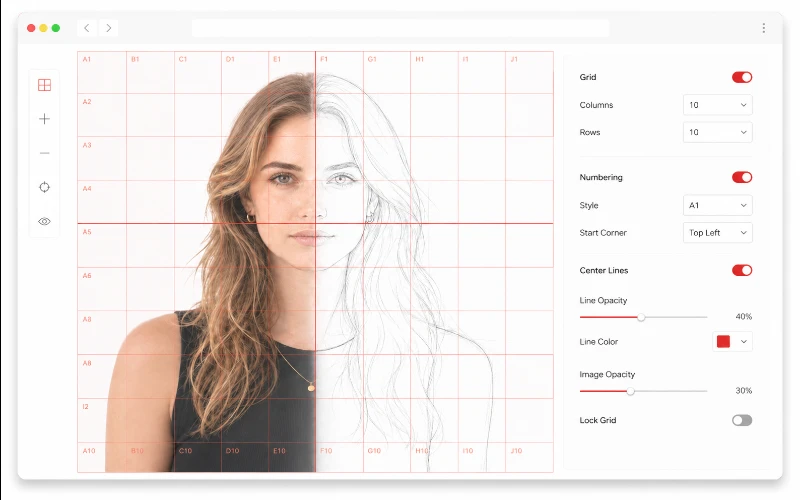
Switch on numeric (1, 2, 3…) or A1-style numbering, placed inside the cells or as edge labels, to keep your place while transferring. Add a center cross or diagonals as alignment guides, mirror the image for mirror-copying, and lower the underlay opacity to print a faint base you can trace over.
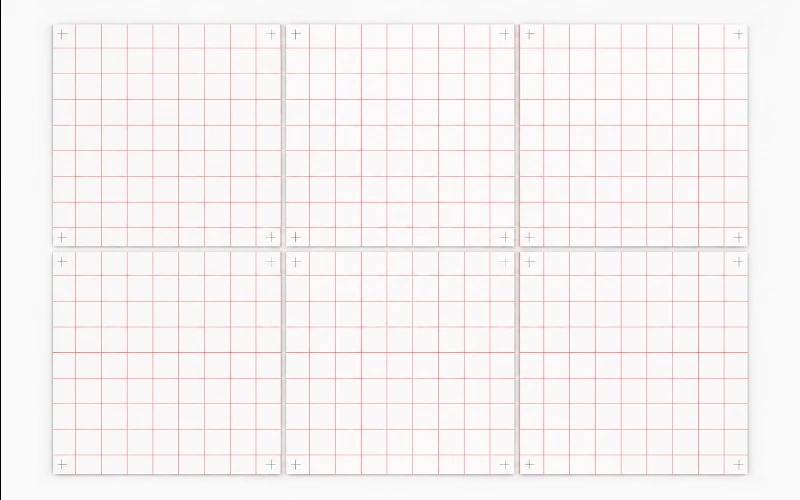
When the finished size is bigger than your paper, TraceGrid tiles it automatically. Each sheet carries a glue/overlap margin and corner marks, and the panel tells you how many pages and the column × row layout. Download a tiled PDF for clean printing, export a high-resolution PNG, or print straight from the browser — every route uses the same precise measurements.
Grid density is a trade-off between accuracy and effort. More cells mean each square holds a smaller, simpler piece of the image, so it is easier to copy faithfully — but there are more squares to work through and to count. Fewer, larger cells are quicker but ask you to judge more shape inside each one. As a rule of thumb, use a finer grid for complex subjects like faces and detailed scenes, and a coarser grid for bold, simple shapes. Because TraceGrid shows the real-world size of one cell as you change the count, you can settle on a density where each square is a comfortable size to mark out on your actual surface.
The grid method works because it turns one hard problem — reproducing a whole image at a new size — into many easy ones, where you only ever copy the small shape inside a single cell at a time. The overall proportions stay correct automatically, as long as your grid is accurate. That is why reading the exact cell size matters: if your finished piece is 600mm across ten columns, every column is exactly 60mm, and marking those lines precisely on your canvas or wall is what guarantees the final result matches the original rather than slowly drifting out of proportion.

Trace-ready line art with manual control — all processed locally.
Open tool →
Overlay a precise grid, set the real size, and print to scale across A4 sheets.
Open tool →
Turn photos into stencil-style street art on real walls.
Open tool →
Turn building photos into clean line drawings — SVG & PNG.
Open tool →
Set a canvas size, drop your image, adjust position and scale — then export at exact pixel dimensions.
Open tool →
Reduce, control and reuse image colors precisely — export to HEX, CSS, JSON, .gpl & .ase.
Open tool →
Calculate fabric size from stitch counts, compare cloth counts and add finishing margins.
Open tool →
Turn a few photos or drawings into a flipbook preview. Adjust order, timing and ping-pong.

Any photo → a polished 9:16 story. Blur, gradient, extend & card layouts.
Open tool →