Make any photo a beautiful 9:16 story
Landscape photos never fit vertical stories. Scenelyx fills the space beautifully — blur, gradient, extend or card layouts — and exports a crisp 1080×1920 image, right in your browser.
Try it nowNo AI, no templates to wade through. Precise local image processing — your photo is never uploaded.
Canvas size
Photo framing
Applies to every background style.
Background style
Layout
Caption
Export
Who uses Scenelyx?
Anyone whose photos are landscape but whose audience scrolls vertically.
Stories & Reels
Post the same photo everywhere without ugly black bars or careless crops. One image in, a clean 1080×1920 story out — with a background that looks deliberate.
Small shops & creators
Product shots and portfolio pieces get the inset-card treatment — margin, rounded corners, soft shadow and a caption — for announcement-ready visuals in seconds, no design app needed.
Travel & scenery photos
Wide skies, seas and cityscapes are exactly what the Extend style was built for — the edges stretch outward with a seamless fade, so the vertical frame feels like it was shot that way.
Frequently Asked Questions
Is my photo uploaded to a server?
No. All processing — blurring, gradients, edge extension, text — happens in your browser with the Canvas API. The photo never leaves your device, and closing the tab discards it.
Which background style should I pick?
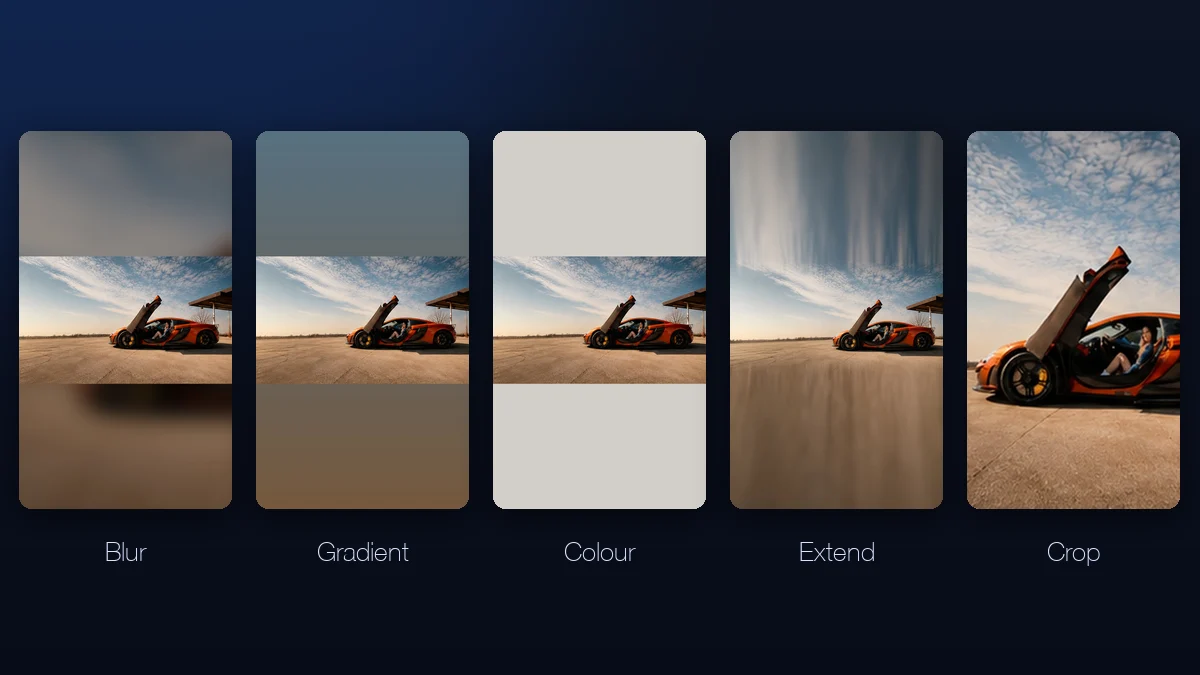
Blur is the safe default for any photo. Gradient and Colour give a cleaner, more graphic look that suits the inset-card layout. Extend works best when the top and bottom of the photo are simple — sky, water, walls — and Crop is for photos whose subject survives a straight vertical cut.
What exactly does the Extend style do?
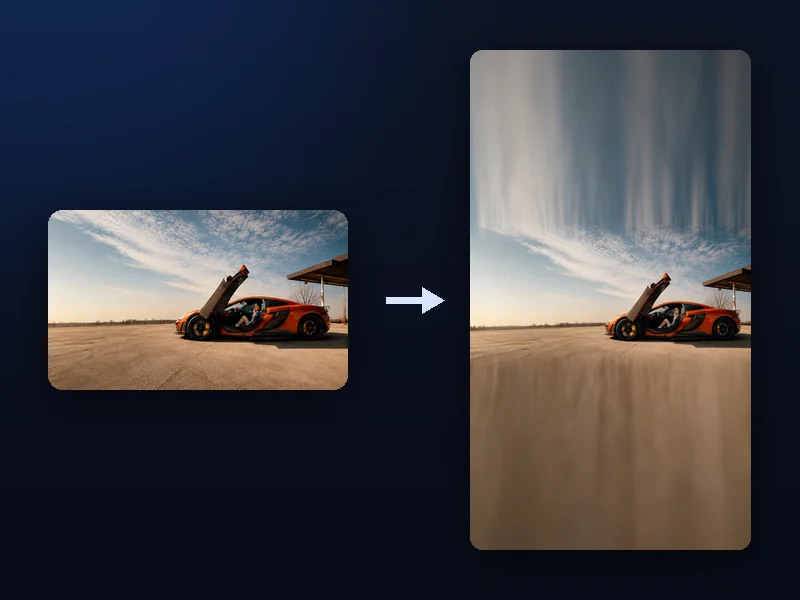
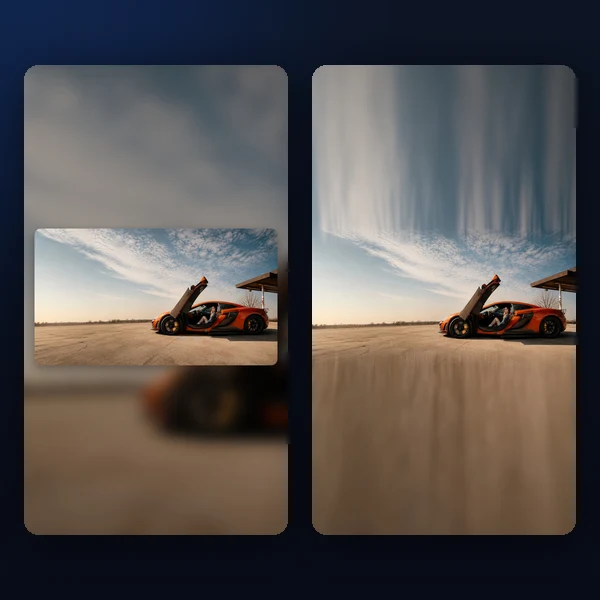
It takes a thin band from the photo's top and bottom edges, stretches each outward to fill the empty space, then applies a graded blur and gentle darkening that increase toward the frame edge, with a wide cross-fade at the seam. On simple edges the result looks like the photo was taller all along.
What sizes can I export?
9:16 (1080×1920) for stories, reels and vertical video covers, 4:5 (1080×1350) for portrait feed posts, and 1:1 (1080×1080) squares — as JPG or PNG.
Is Scenelyx free?
Yes, completely free. No account, no usage limits, no watermarks.
How to Use Scenelyx
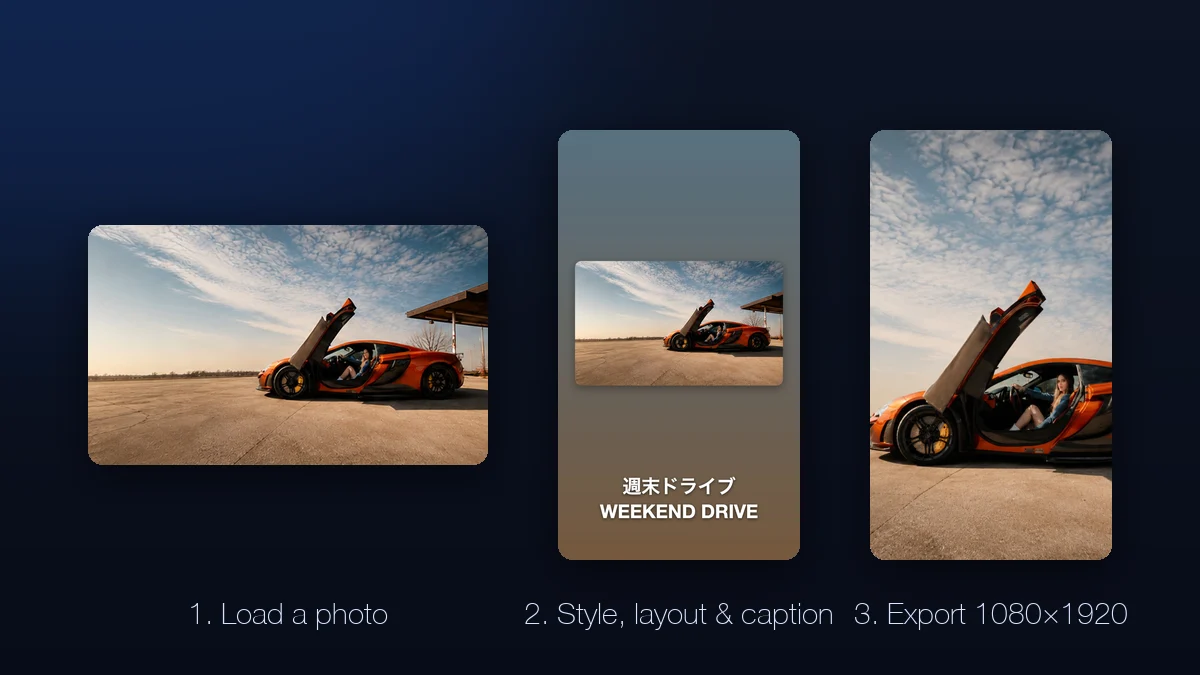
From photo to story in 3 steps
- Load a photo — drop a file, pick one, or paste from the clipboard. Nothing is uploaded; processing is local.
- Pick a background style and layout. Blur, gradient, colour, extend or crop — then float the photo as an inset card and nudge its position.
- Add a caption if you like, choose 9:16, 4:5 or 1:1, and download the finished JPG or PNG.
Five backgrounds, one goal: no lazy letterboxing
A 16:9 photo dropped into a 9:16 frame leaves more than half the canvas empty, and how you fill it is the whole difference between "resized" and "designed". Scenelyx gives you five deliberate answers: the classic soft blur, a gradient sampled from the photo's own edge colours so it always harmonises, a flat colour picked automatically from the image, a seamless edge extension for skies and water, and a straight crop with a movable focus point when the subject allows it.
Every style recomputes instantly in the live preview, so trying all five takes seconds — and because the gradient and colour styles read the photo itself, the result never clashes the way a random template colour does.
The inset card: instant polish
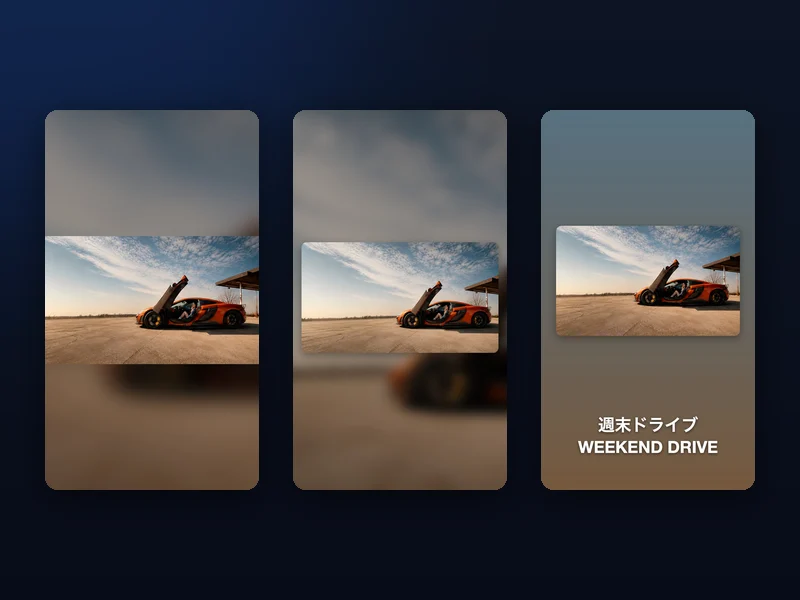
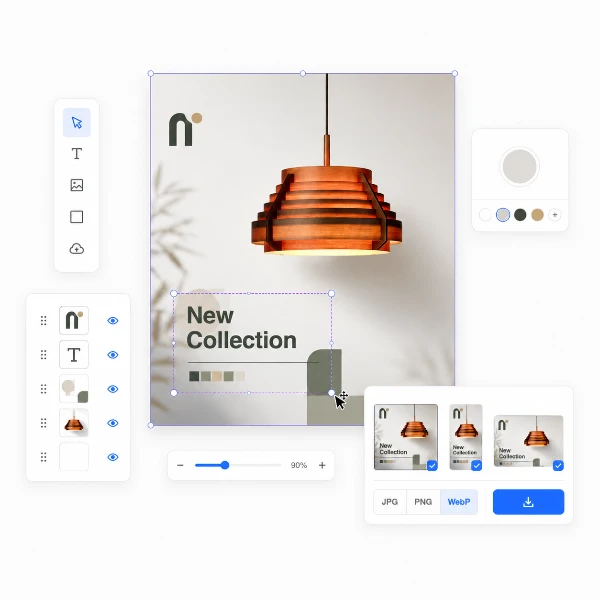
The fastest way to make a story look designed is to stop bleeding the photo to the edges. The inset card floats your photo on the background with an adjustable margin, rounded corners and a soft drop shadow — the visual language of magazine layouts and polished social templates, without the template.
Slide the photo up to leave room for a caption below, or down to weight the composition. Combined with the gradient background it produces a cohesive, editorial look from any snapshot.
Extend: the invisible fill
Extend is Scenelyx's signature style. It slices a thin band from the photo's top and bottom edges and stretches each outward to fill the frame, applying a blur and a gentle darkening that grow toward the frame edge, with a wide cross-fade where fill meets photo. On sunsets, seas, walls and skies the seam simply disappears.
Unlike AI outpainting there is nothing invented and nothing uploaded — it is a precise, deterministic transform of your own pixels, which is why it runs instantly and never hallucinates objects into your scenery.
Privacy: your photo never leaves your device
Scenelyx processes images entirely in your browser using the Canvas API. No file is transmitted to any server, which makes it safe for unreleased products, private moments and client work. Reload the page and everything is gone — nothing was ever sent anywhere.