

无 AI。精确的算法减色处理。你的图像绝不会被上传。
颜色数
抖动
调色板
点击任意色块即可复制其 HEX 代码。
颜色占比
导出
谁在使用 PaletteForge?
任何需要精确控制图像所用颜色的人。
像素画作者与游戏开发者
将精灵图与图块集限制到固定调色板,比较抖动风格,并将 .ase 直接导入 Aseprite。
品牌与网页设计师
从参考图像中提取精炼的调色板,导出 CSS 变量或 .ase 色板,构建一致的配色系统。
印刷与丝网印刷
在分色之前,将作品限制到精确的油墨数量,也适用于孔版印刷。
常见问题
我的图像会上传到服务器吗?
不会。所有减色都完全在你的浏览器中通过本地处理完成,图像绝不会发送到任何服务器。
它使用什么减色算法?
PaletteForge 使用中位切分量化选取代表色,并采用接近人眼感知的加权 RGB 距离,使相近的颜色正确映射。这是精确、可重现的算法处理 — 没有 AI。
有哪些抖动选项?
无、Floyd–Steinberg 误差扩散,以及使用 Bayer 4×4 矩阵的有序抖动。你可以在它们之间切换并即时比较结果。
.ase 文件可以在 Adobe 或 Aseprite 中使用吗?
可以。导出的 .ase 是带 RGB 颜色的标准 Adobe Swatch Exchange 文件,可在 Adobe 应用和 Aseprite 中加载。
PaletteForge 免费吗?
是的,完全免费。无需账户、没有使用限制、没有水印。
如何使用 PaletteForge
三步完成减色
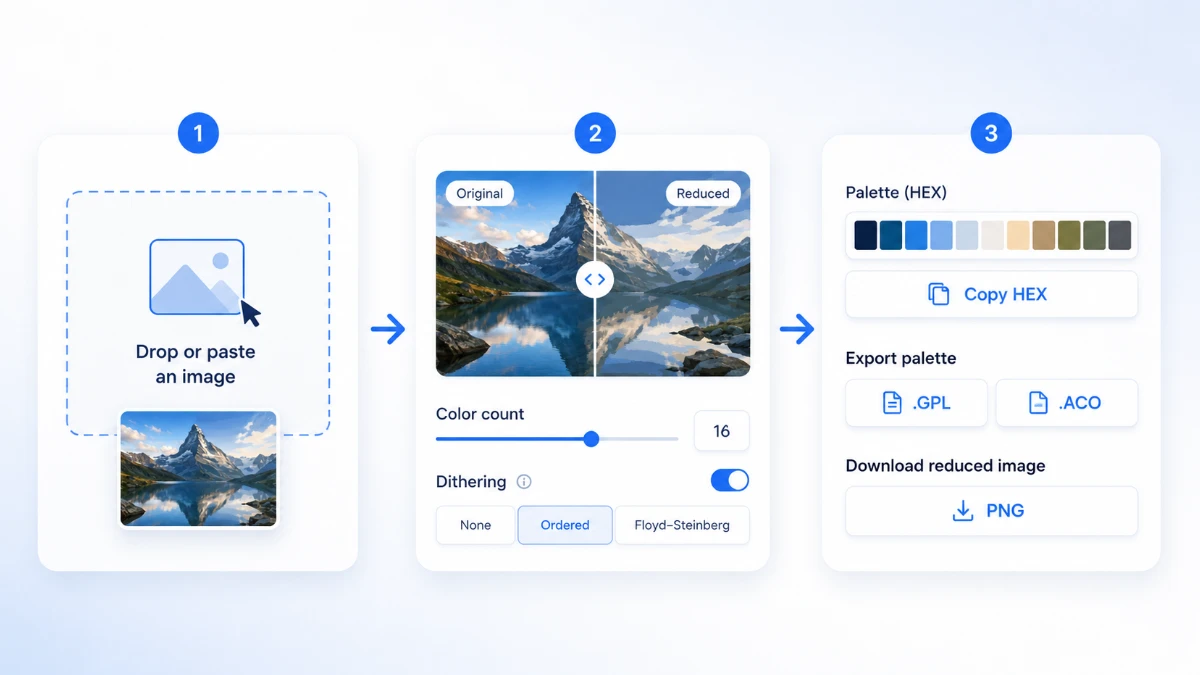
- 加载图像 — 拖放文件、选择文件,或从剪贴板粘贴。不会上传,处理在本地完成。
- 选择颜色数量和抖动模式。使用前后对比滑块将减色结果与原图进行比较。
- 复制任意 HEX、将调色板导出为 HEX/CSS/JSON/.gpl/.ase,或下载减色后的 PNG。
精确的颜色数量
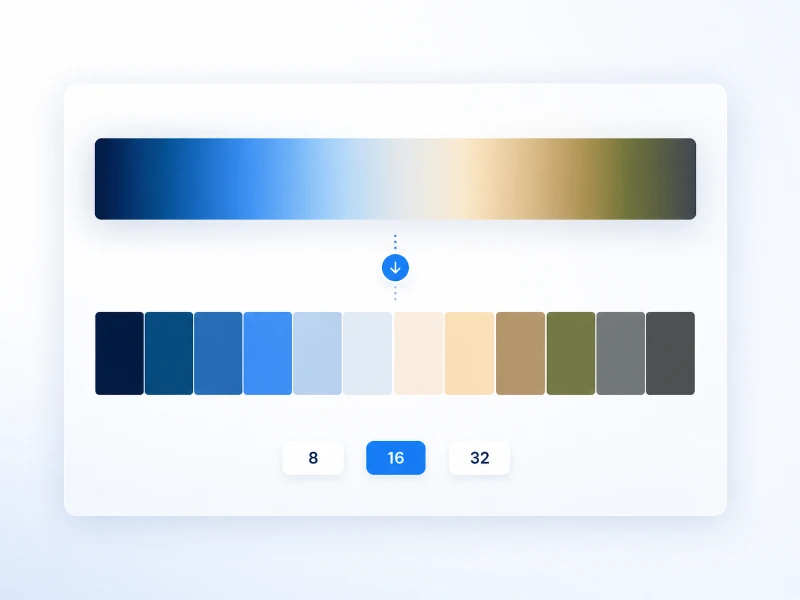
PaletteForge 使用中位切分量化,将任意图像减色到精确的颜色数量——8、16、32,或 2 到 256 之间的任意自定义值。算法不是随机挑选颜色,而是沿图像色彩空间最长的轴反复切分,因此最终调色板由真正具有代表性的颜色组成,并按图像实际使用的比例加权。原图的特征得以保留,而成千上万种细微色调被归纳为一组可控、可预测的颜色。
较少的颜色数量会带来强烈的海报式效果,适合索引 PNG、像素画和丝网印刷;较多的颜色数量则在削减色彩复杂度的同时保留渐变与肤色。由于减色是确定性的,同一张图像在相同颜色数量下总会得到相同的调色板——当你需要在一整套素材中保持可重复的外观时非常有用。
比较抖动效果
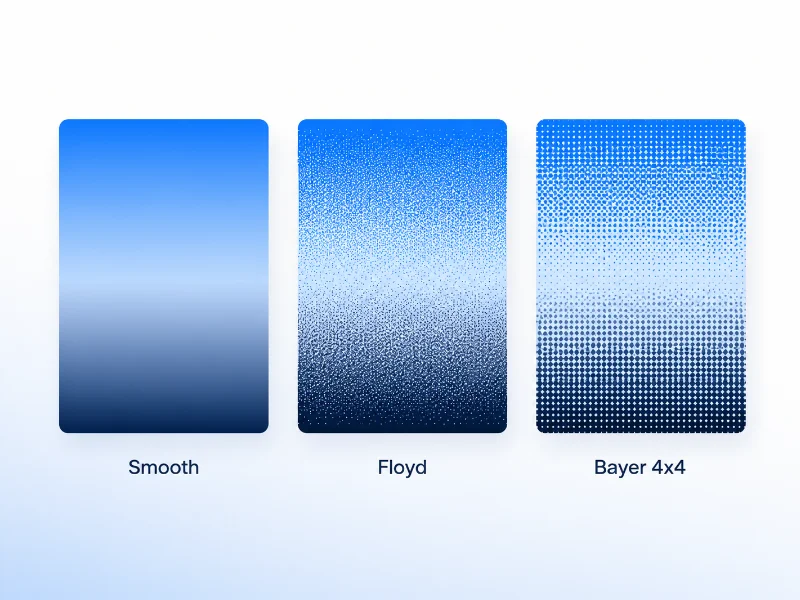
减少颜色可能会在平滑渐变处留下明显的条带。抖动通过将可用的调色板颜色以细密图案交错排列来掩盖它,让你的眼睛将其融合成中间色调。PaletteForge 提供三种模式:适合干净纯色填充的「无」、为照片带来最平滑效果的 Floyd–Steinberg 误差扩散,以及带来清晰复古半调质感的 Ordered(Bayer 4×4)。
切换模式时,前后对比滑块会即时更新,因此你可以在自己的图像上权衡平滑度与文件大小,而不必凭空猜测。照片和插画通常更适合 Floyd–Steinberg;像素画以及刻意营造机械质感时,Ordered 抖动则是经典选择。
随处导出
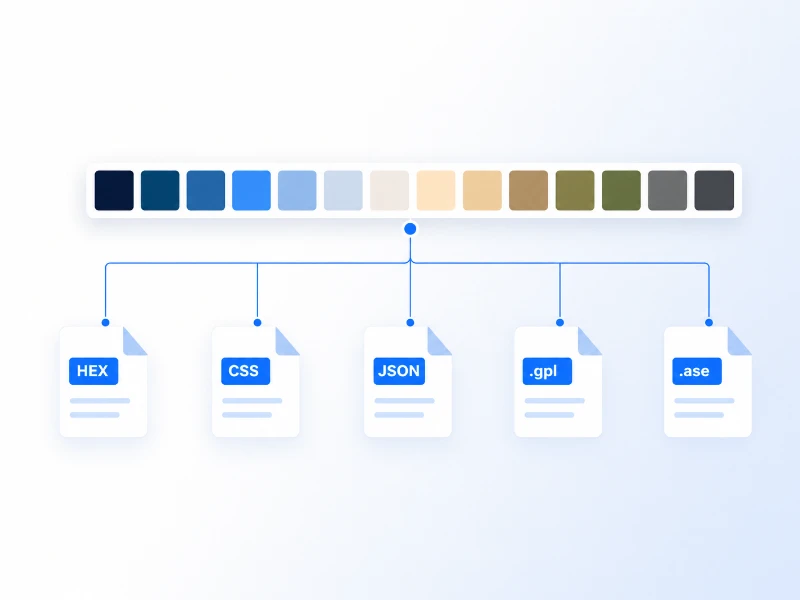
调色板满意之后,就可以带去任何地方。一键将任意色块复制为 HEX,或将整个调色板导出为 HEX 列表、CSS 自定义属性、供代码使用的 JSON;用于开源绘画软件的 GIMP .gpl;以及可直接载入 Photoshop、Illustrator 和 Aseprite 的 Adobe .ase 色板。
你也可以将减色后的图像本身下载为 PNG,并已嵌入你所选的颜色数量与抖动方式。这让 PaletteForge 成为从参考图像到可投入生产的调色板之间的一步到位的工具——无需手动取色,也无需手敲 HEX 代码。
隐私:你的图像绝不会离开你的设备
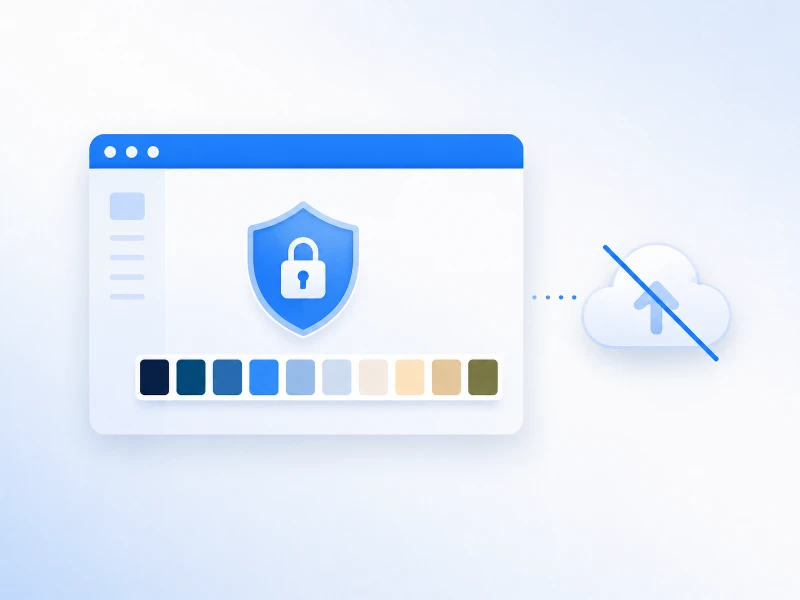
PaletteForge 使用 Canvas API 完全在你的浏览器中处理图像。没有文件被传输到任何服务器,因此处理机密或未发布的素材也很安全。重新加载页面后一切都会消失 — 因为从未向任何地方发送过任何内容。
无需账户、无需登录,也没有使用次数限制。一切都在你已加载的页面内运行,因此你可以放心地用它处理机密样稿、未发布的游戏素材或客户项目,不会上传任何内容。关闭标签页后不留任何痕迹。








