Hide sensitive details
Quickly blur or blackout names, addresses, license plates and more before sharing screenshots or photos.
Tap the Share button, then “Add to Home Screen”.
Blur or blackout names, addresses and other private details before sharing images. All processing runs locally in your browser.
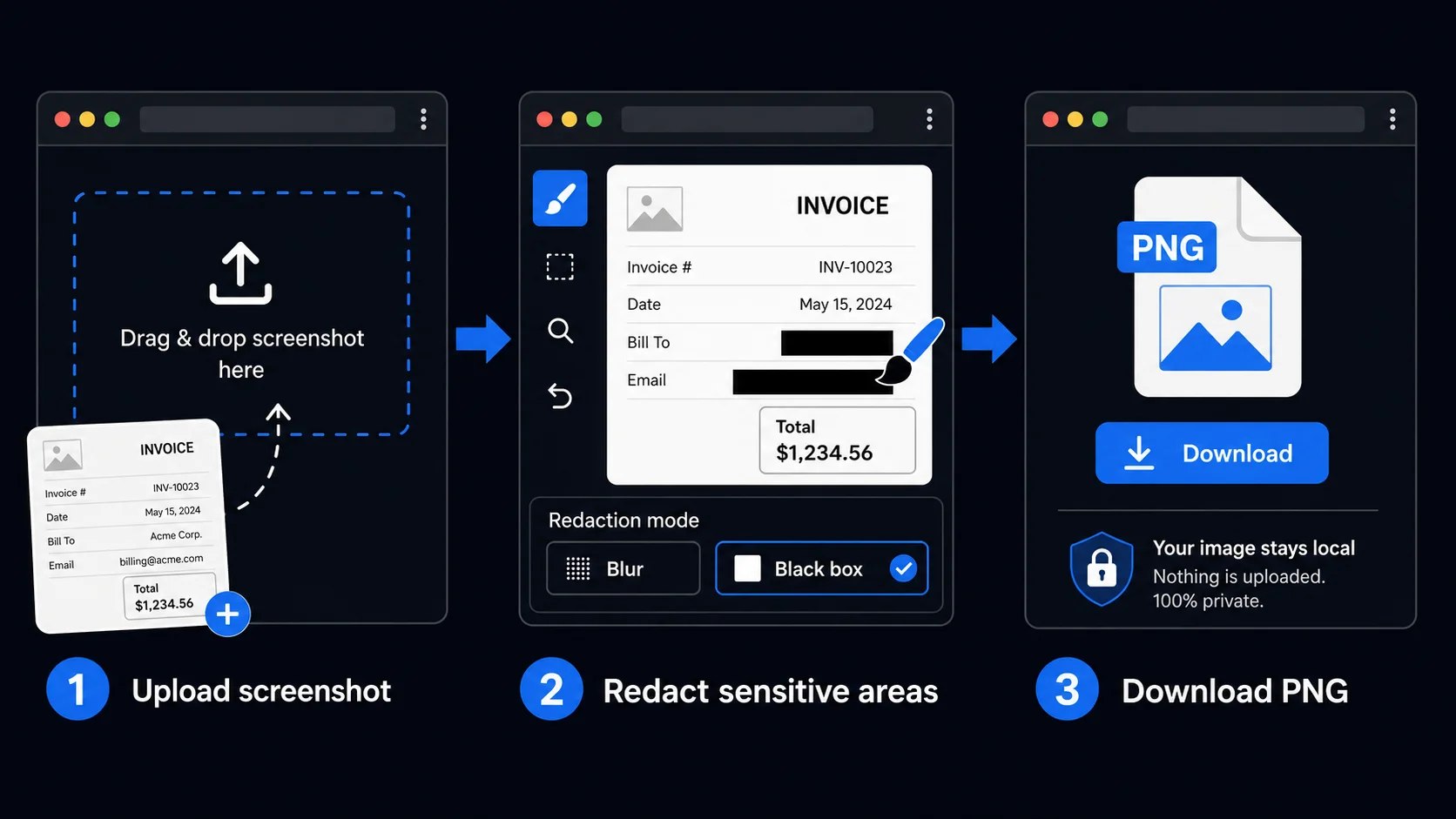
Draw over any area to blur or black-box it. All redaction runs in your browser — your image is never uploaded to any server.
Use the tools on the right to hide sensitive areas.
Quickly blur or blackout names, addresses, license plates and more before sharing screenshots or photos.
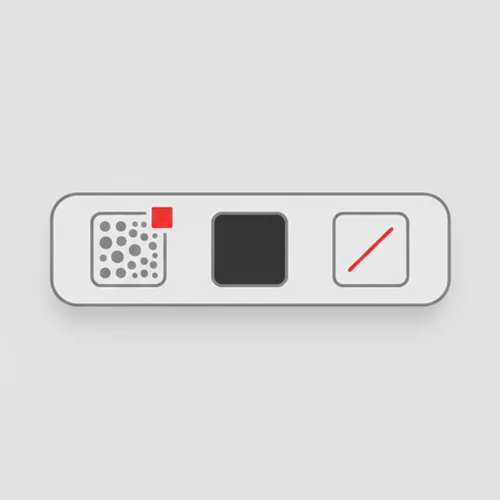
Switch between blur, black box and line tools. Adjust brush size with a single slider.
All redaction runs locally in your browser. Images never leave your device.
Perfect for customer support screenshots, invoices, school documents and any image that needs quick masking.
Anyone who needs to share images without exposing private details — no app, no upload.
Redact customer names, order numbers, and account details from screenshots before sharing them in internal reports or escalations. Keep sensitive data out of communication threads.
Mask personal identifiers, signatures, and case-sensitive details from documents before sharing with external parties. A fast, private alternative to dedicated redaction software.
Anonymize student work, survey responses, and research materials before publishing or presenting. Hide names and identifying details without altering the content itself.
Blur out phone numbers, addresses, and other personal details from screenshots before posting online. A quick step that protects your privacy and the privacy of others.
Hide test data, internal URLs, and client-specific content from UI screenshots before adding them to portfolios, case studies, or documentation.
Mask license plates, house numbers, faces, and other details from photos before sharing with friends or posting on social media. Simple, fast, and completely private.
No. All redaction processing happens entirely in your browser using local processing. Your files never leave your device and are never sent to any server.
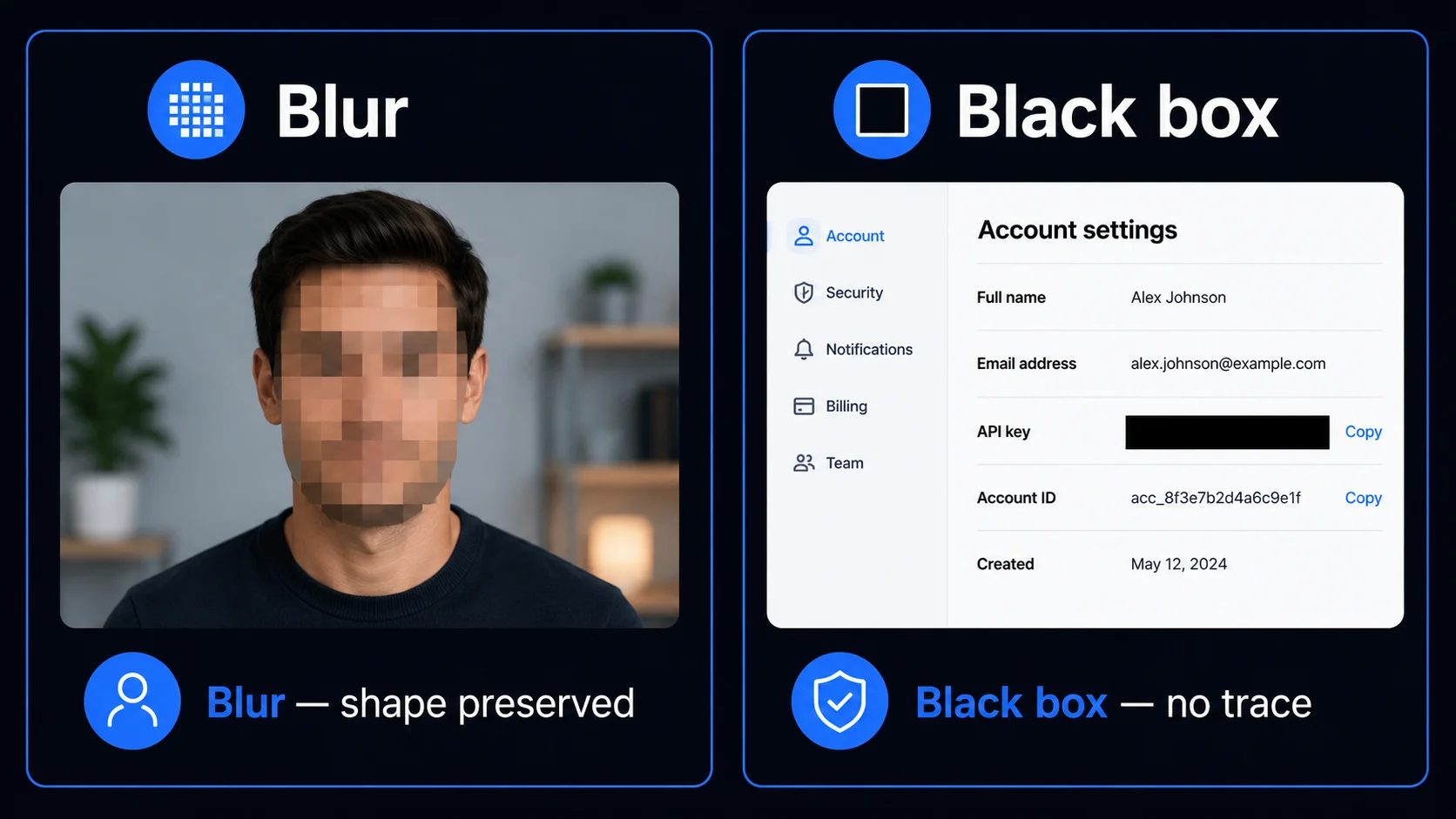
Blur applies a mosaic-style effect that obscures the area while keeping the shape of the content visible. Black box completely covers the area with a solid black fill, leaving no visual trace of the original content.
No. Once you download the redacted image, the hidden areas are permanently baked into the file. The original content cannot be recovered from the downloaded image.
Yes. Use the Undo last button to step back one action at a time, or Clear all to remove all redactions and start over — as long as you have not downloaded the image yet.
Yes, completely free. No account required, no usage limits, no watermarks.
Tracelyx Redact supports JPEG, PNG, and WebP as input. The redacted image is saved as a PNG to preserve the quality of all redaction layers.
Blur applies a mosaic-style pixelation effect over the selected area. It makes the content unreadable while preserving the visual shape of what was there — useful for faces, license plates, and background details where the viewer should understand that something exists but cannot read it. Blur is the right choice for photos and screenshots where context matters.
Black box completely replaces the area with a solid black rectangle. It is the standard for document redaction — legal filings, compliance documents, contracts, and any context where leaving visual hints of the original content is not acceptable. Use Black box whenever the redacted content must leave no trace. For redacting text in screenshots or document images, Black box is almost always the correct choice.
Most online redaction tools work by uploading your image to a server, processing it remotely, and returning the result. This creates a window during which your original, unredacted image exists on a third-party server. For images containing sensitive personal information, confidential business data, or legally protected content, this upload step is a genuine privacy risk — the original content is transmitted before any redaction is applied.
Tracelyx Redact processes everything locally in your browser using the HTML Canvas API. Your image is loaded into browser memory, redaction is drawn directly on the canvas, and the output PNG is generated entirely on your device. Nothing is sent to any server at any point. This makes Tracelyx Redact safe for processing medical records screenshots, legal documents, internal business data, and any content you would not want transmitted to a third party.
For customer support teams, the most common workflow is redacting screenshots before sharing them in tickets or escalation threads. Account numbers, email addresses, order IDs, and personal names should be blacked out before any screenshot enters a shared channel or external system. A fast redaction step before sharing keeps sensitive customer data out of places it should not be.
For personal use, the most common case is removing license plates, house numbers, faces, and identifying details from photos before posting on social media. Redact runs directly in your browser — there is no app to install, no account to create, and no image to upload. Open the tool, redact the photo, download the result, and post it. The entire workflow takes under a minute.