Lighter files
Make images lighter for the web while keeping them crisp. Smaller files help pages load faster.
Tap the Share button, then “Add to Home Screen”.
Same dimensions. Smaller file size.
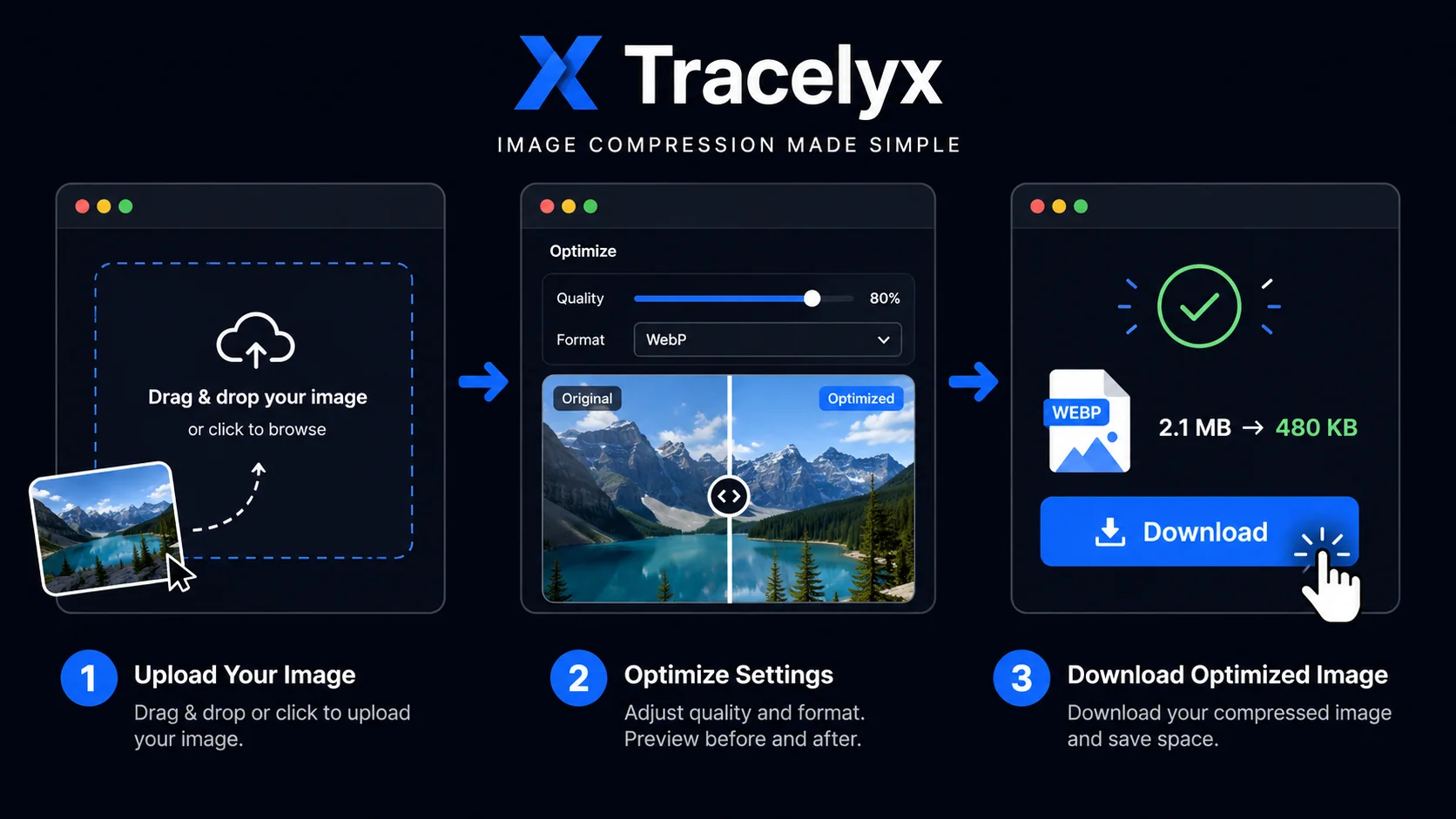
Upload a photo to compress it — reduce file size while keeping visual quality. Adjust quality, choose output format, and optionally strip EXIF data. All processing runs locally in your browser.
Make images lighter for the web while keeping them crisp. Smaller files help pages load faster.
Adjust quality and output format with clean sliders. Compare changes instantly.
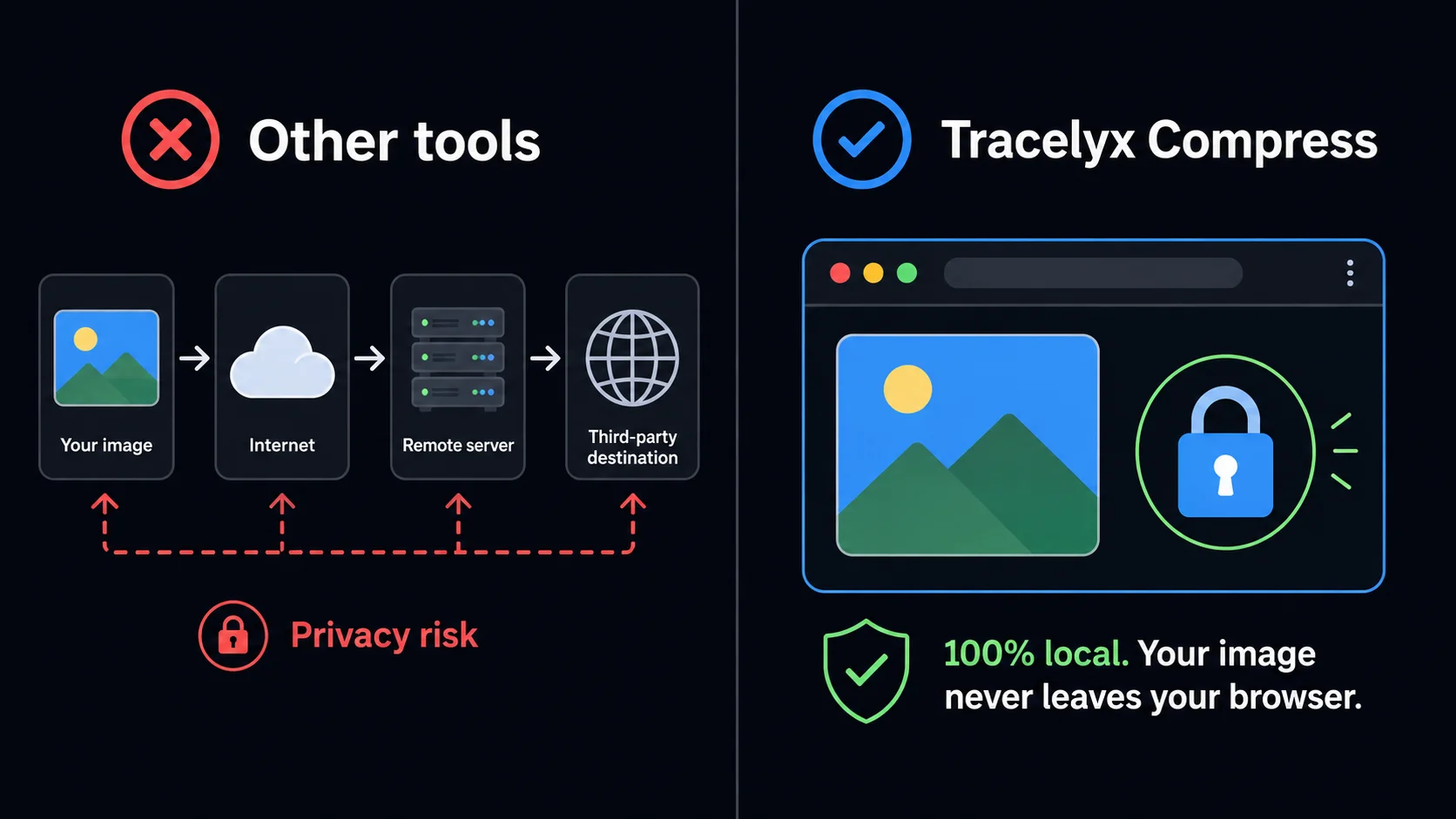
All processing happens in your browser. Images never leave your device.
Fast processing powered by your own device. Nothing is sent to a server.
Anyone who works with images on the web — no account, no upload.
Reduce image payload before deployment. Faster Core Web Vitals, better Lighthouse scores — without touching a terminal.
Compress hero images and thumbnails before uploading to WordPress or any CMS. Keep quality high, keep hosting costs low.
Share portfolio images online without sacrificing detail. Your originals never leave your device — compression stays private.
Optimize product photos for faster shop pages. Lighter images load faster on mobile — and that directly improves conversions.
Export assets at the right weight for handoff or delivery. Use the before/after slider to verify quality before sending.
Prepare images for Instagram, X, or LinkedIn without re-uploading to a cloud service. Fast, private, and browser-only.
No. All compression happens entirely in your browser using local processing. Your files never leave your device and are never sent to any server.
Tracelyx Compress supports JPEG, PNG, and WebP. You can also convert between these formats during compression.
For most web images, a quality of 75–85 strikes the best balance between file size and visual quality. Use the before/after slider to judge for yourself before downloading.
EXIF data includes GPS location, camera model, and capture time embedded in the image file. Removing it protects your privacy and slightly reduces file size.
Yes, completely free. No account required, no usage limits, no watermarks.
This tool processes one image at a time with full quality control. For batch compression of multiple files, use the Batch tool.
For most web images — blog posts, product photos, social media — a quality setting between 75 and 85 delivers the best balance of file size and visual quality. At quality 80, the difference from the original is invisible to most viewers while the file can be 60–70% smaller. For photography portfolios where fine detail matters, stay above 85. For thumbnails and background images, 65–75 is sufficient.
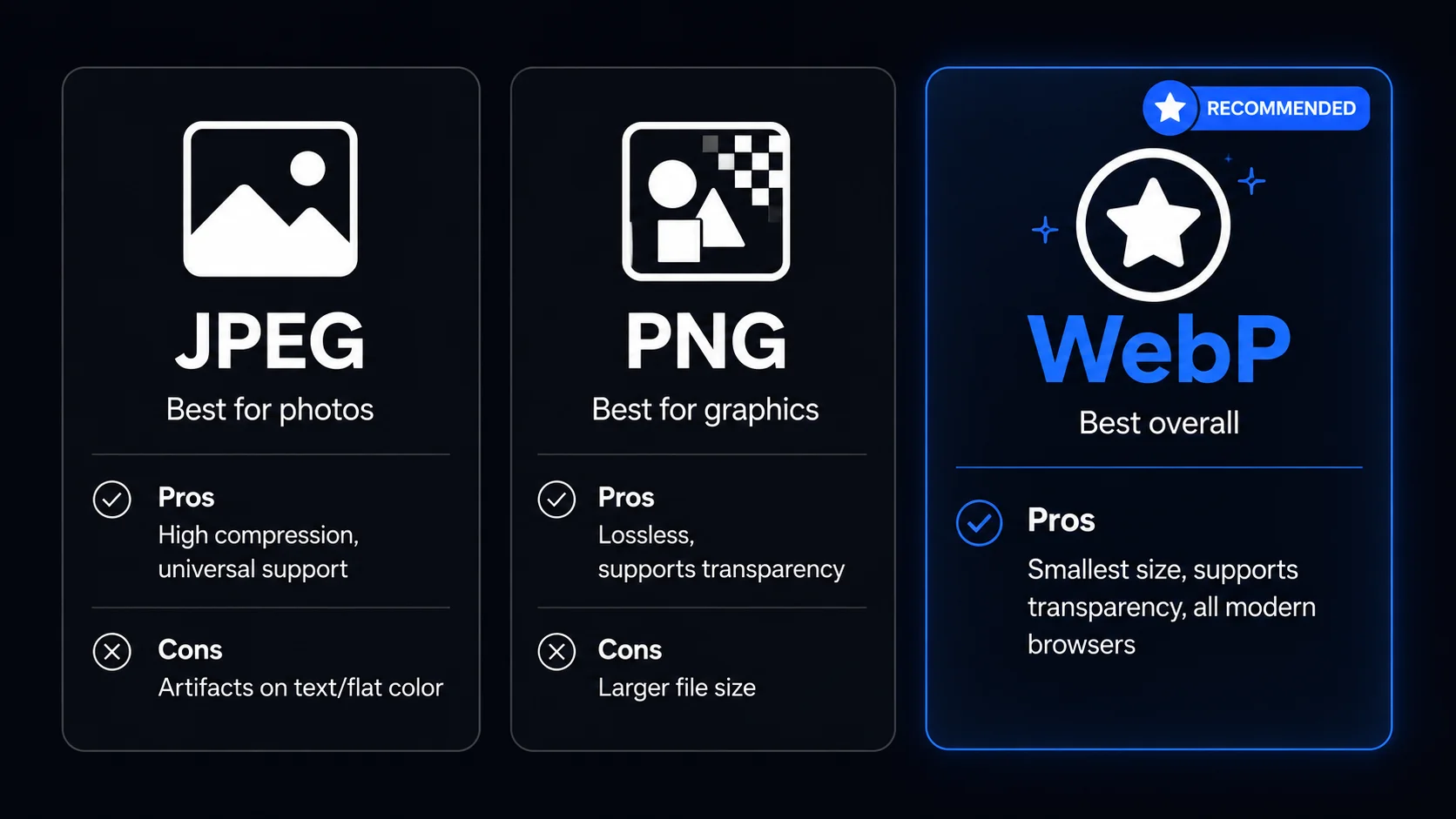
WebP consistently produces smaller files than JPEG at the same visual quality, and is supported by all modern browsers. If your target platform allows it, choosing WebP as the output format is the single most effective way to reduce file size. For PNG files with transparency, WebP preserves the alpha channel while reducing size significantly compared to PNG.
Most online image compressors work by sending your file to a remote server, processing it there, and returning the result. This means your image — whether it is a client's private asset, a personal photo, or commercially sensitive content — passes through a third-party system you do not control. Tracelyx Compress works entirely differently: the entire compression pipeline runs inside your own browser using the Canvas API.
No image data is ever transmitted over the network. When you close the browser tab, every trace of your image disappears. There is no server log recording your file, no storage bucket holding your content, and no data retention policy — because there is no data to retain. For photographers, designers, and businesses handling sensitive visual assets, this is not a convenience feature: it is a fundamental security guarantee.
JPEG is the right choice for photographs and complex images with gradients. It achieves high compression ratios with minimal visible quality loss and is universally supported. Use JPEG for hero images, blog photos, and product shots. Avoid it for images with sharp edges, text, or large areas of flat color — compression artifacts become visible in those cases.
PNG is lossless and best for graphics, logos, screenshots, and images that require transparency. File sizes are larger than JPEG, but no quality is lost. WebP combines the best of both: it handles photographs like JPEG and graphics like PNG, at smaller file sizes than either. Use WebP wherever browser compatibility allows — all modern browsers support it, and it is now the recommended format for web images.